
الوصف
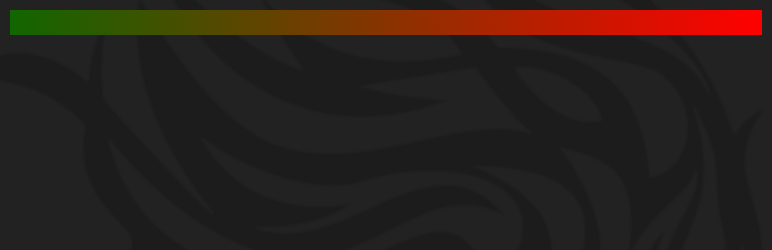
Reading Position Indicator adds a stylish horizontal progress bar alongside your content, showing readers how far they’ve scrolled. It enhances user engagement by providing a clear visual cue of reading progress, ideal for blogs, articles, and long-form content.
Features
* Horizontal progress bar displayed on posts and pages.
* Customizable colors, opacity, rounded edges, and gradients.
* Lightweight and performance optimized.
* Easy setup with no coding required.
* Translation ready.
* Compatible with most WordPress themes.
شكرًا لك Pankaj Parashar على إضافتك عبر موقع CSS-TRICKS حول إضافة Reading Position Indicator
GitHub
The Reading Position Indicator plugin is available also on GitHub – Reading Position Indicator.
لقطات الشاشة


التنصيب
الطريقة الفائقة السهولة
- تسجيل الدخول إلى لوحة تحكم مدير ووردبريس الخاص بك.
- الإنتقال إلى: إضافات > أضف جديد.
- ابحث عن ‘Reading Position Indicator’ في حقل البحث عن الإضافات ثم الضغط على زر الإدخال. وعند العثور على الإضافة، يمكنك عرض التفاصيل مثل تاريخ الإصدار، التقييم، والوصف.
- النقر على التنصيب الآن. بعد النقر على الرابط، سيتم سؤالك ما إذا كنت متأكدًا من تنصيب الإضافة.
- النقر على نعم، وسيقوم ووردبريس بإكمال التنصيب.
- تفعيل الإضافة.
- ستظهر لك قائمة جديدة حالة التقدم Progress ضمن تبويب مظهر ضمن قائمة لوحة التحكم الخاصة بك.
الطريقة السهلة
- تنزيل الإضافة (ملف .zip) على العمود الأيسر من هذه الصفحة.
- في لوحة التحكم، الذهاب إلى تبويب الإضافات > أضف جديد.
- تحديد الزرّ
رفع الإضافة. - قم رفع ملف .zip الذي قمت بتنزيله للتو.
- تفعيل الإضافة.
- ستظهر لك قائمة جديدة حالة التقدم Progress ضمن تبويب مظهر ضمن قائمة لوحة التحكم الخاصة بك.
الطريقة القديمة والموثوقة (FTP)
- رفع مجلد
reading-position-indicatorإلى المسار/wp-content/plugins/ - تفعيل الإضافة من خلال قائمة ‘إضافات’ في لوحة تحكم ووردبريس
- ستظهر لك قائمة جديدة حالة التقدم Progress ضمن تبويب مظهر ضمن قائمة لوحة التحكم الخاصة بك.
الأسئلة المتكررّة
-
Can I change the color of the progress bar?
-
Yes, you can customize colors, opacity, and style from the plugin settings under Appearance > Progress.
-
Does this plugin affect site performance?
-
No, it is lightweight and optimized to have minimal impact on your site’s loading speed.
-
Is the progress bar visible on mobile devices?
-
Yes, the progress bar is responsive and works well on all screen sizes.
المراجعات


المساهمون والمطوّرون
“إضافة Reading Position Indicator” هو برنامج مفتوح المصدر. وقد ساهم هؤلاء الأشخاص بالأسفل في هذه الإضافة.
المساهمون
لقد تم ترجمة ”إضافة Reading Position Indicator“ إلى لغتين. شكراً إلى جميع المُترجمين لمُساهماتهم.
ترجمة ”إضافة Reading Position Indicator“ إلى لغتك.
مُهتم بالتطوير؟
تصفّح الشفرة، تحقق من مستودع SVN، أو الاشتراك في سجل التطوير بواسطة RSS.
سجل التغييرات
1.2.3 – 2026-07-21
- Dependencies: Updated the iWorks Options module to version 3.1.1.
- Improvements: Updated build process.
- Improvements: Added tabs to the options screen to shorten the screen length.
1.2.2 – 2026-06-17
- Dependencies: Updated the iWorks Options module to version 3.1.0 and the iWorks Rate module to version 2.3.2.
1.2.1 (2025-10-14)
- The iWorks Rate module has been updated to 2.3.1.
- The iWorks Options module has been updated to 3.0.8.
1.2.0 (2025-06-02)
- The iWorks Rate module has been updated to 2.3.0.
- The iWorks Options module has been updated to 3.0.7.
- Removed jQuery dependency from frontend, improving performance and reducing page load time.
- Fixed security issues by properly escaping RGBA color values in the progress bar.
- Improved code quality and maintainability with modern JavaScript practices.
- Fixed typo in ‘Secondary’ color option label.
- Enhanced cross-browser compatibility for the progress indicator.
- Added support for mobile devices with proper orientation change handling.
1.1.2 (2025-03-24)
- The issue with the saving multiple option value has been resolved.
1.1.1 (2025-03-24)
- The iWorks Options module has been updated to 2.9.8.
- The issue with the saving options has been resolved.
1.1.0 (2025-03-02)
- The iWorks Rate module has been updated to 2.2.3.
- The iWorks Options module has been updated to 2.9.7.
1.0.9 (2024-12-07)
- The iWorks Rate module has been updated to 2.2.1.
- The missing $domain parameter in function call to __() has been fixed. #1
- Escape functions where been added in few places.
1.0.8 (2024-02-21)
- The iWorks Options module has been updated to 2.9.2.
- The iWorks Rate module has been updated to 2.1.8.
- The build process has been updated.
1.0.7 (2023-12-29)
- The iWorks Options module has been updated to 2.9.0.
- The iWorks Rate module has been updated to 2.1.6.
1.0.6 (2022-01-20)
- تم تحديث خيارات iWorks إلى 2.8.0.
- تم تحديث iWorks Rate إلى 2.0.6.
1.0.5 (2021-06-24)
- تحديث الـ class WordPress Options Class إلى 2.7.0.
- تم تحديث iWorks Rate إلى 2.0.2.
1.0.4
1.0.3 (2019-02-06)
- تم إصلاح مشكلة الترجمة. مساندة Nabil Moqbel بالإشارة إلى هذه المسألة.
- تم تحديث الفئة WordPress Options Class إلى 2.6.2.
1.0.2 (2017-05-20)
- تم إضافة خيار “غير محدد”.
- تم إضافة الشفافية إلى جميع الألوان.
- تم إضافة خيار الزوايا المبرومة.
- تم تحقيق التدرج اللوني بنعومة.
- شريط تقدم محسّن – الآن يحسب المستند فقط ، وليس النافذة بأكملها.
- تم إزالة خيار “شفاف” من الاخيارات.
- تم التحديث WordPress Options Class إلى 2.6.0
- تم إضافة نموذج “التقييم” لطلب المراجعة.
1.0.1 (2015-04-18)
- إزالة “console.log” من السكربت.
- إصلاح المشكلة الصغيرة في class الموضع الرئيسي.
1.0.0 (2015-04-14)
- البداية