

الوصف
HeySpark adds a modern chat, call, and video widget to your site and a conversational inbox inside WP-Admin. Your chat data stays on your WordPress install. No external services, no monthly subscriptions, no accounts to create. Just install, activate, and start chatting.
Why HeySpark
- Self-hosted. Conversations live in your database, on your server. Nobody else sees them.
- No accounts. Install and go. No signup, no API keys.
- Modern UX. A messenger-style widget your visitors already know how to use.
- Fast. Lightweight, deferred asset loading, no heavy framework dependencies.
- Translation-ready. Full text domain, bundled POT, right-to-left compatible.
Free features
- 100% free live chat
- “Call now” functionality with WebRTC audio calls that are secure and private
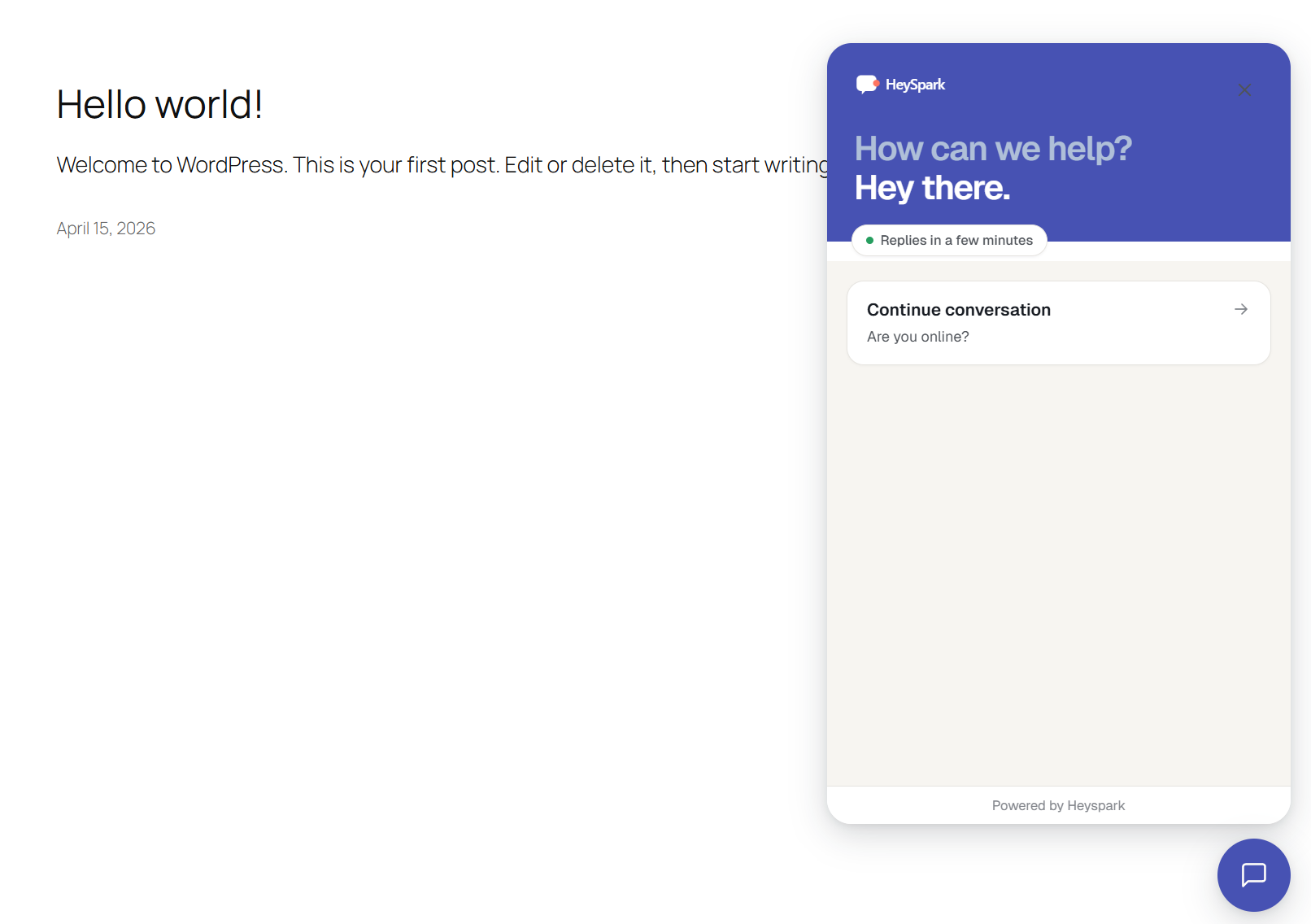
- Floating chat widget on your site with Shadow DOM isolation (no theme conflicts)
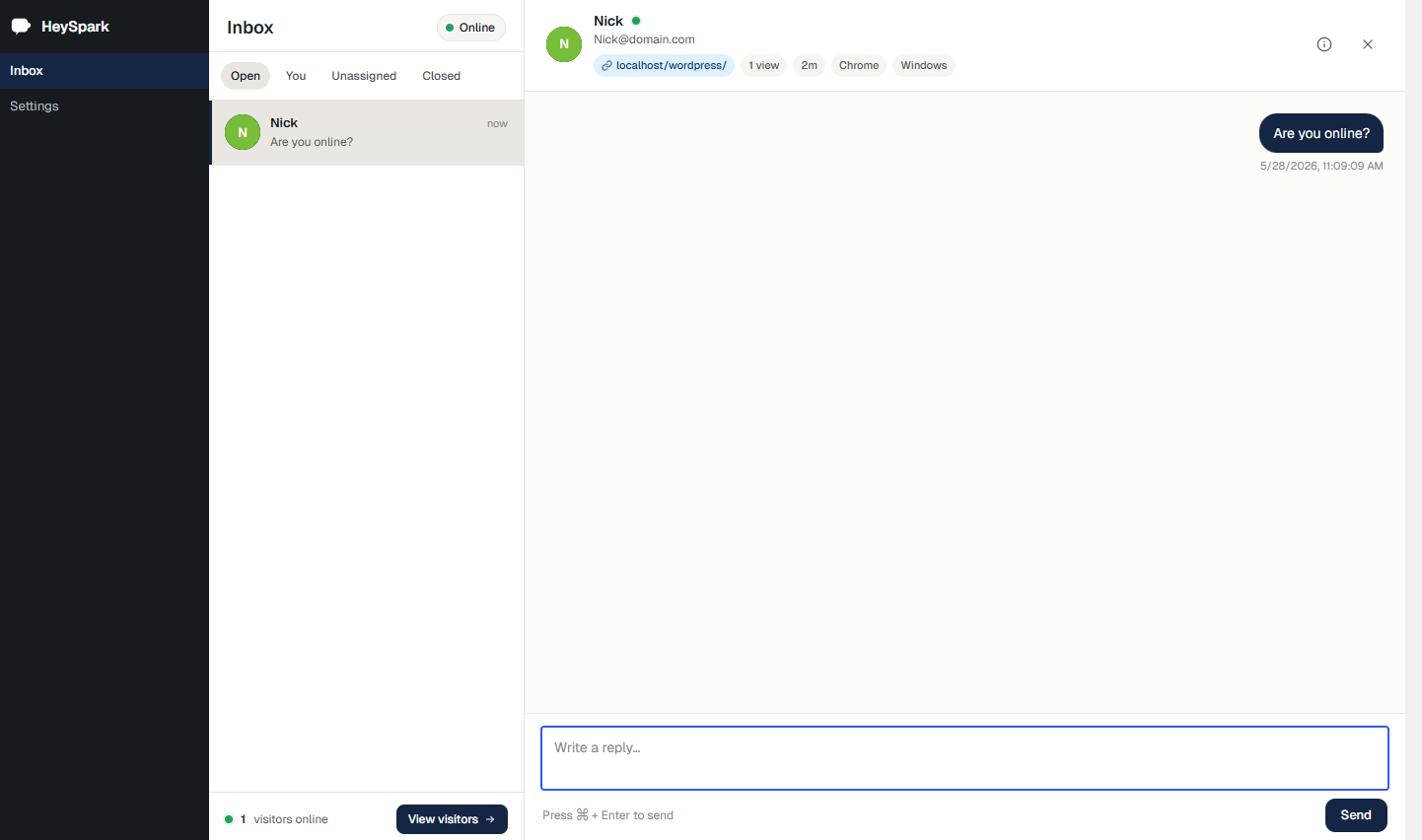
- WP-Admin inbox with a conversation view
- Real-time chat via long-polling (no external service required)
- Online/Away toggle
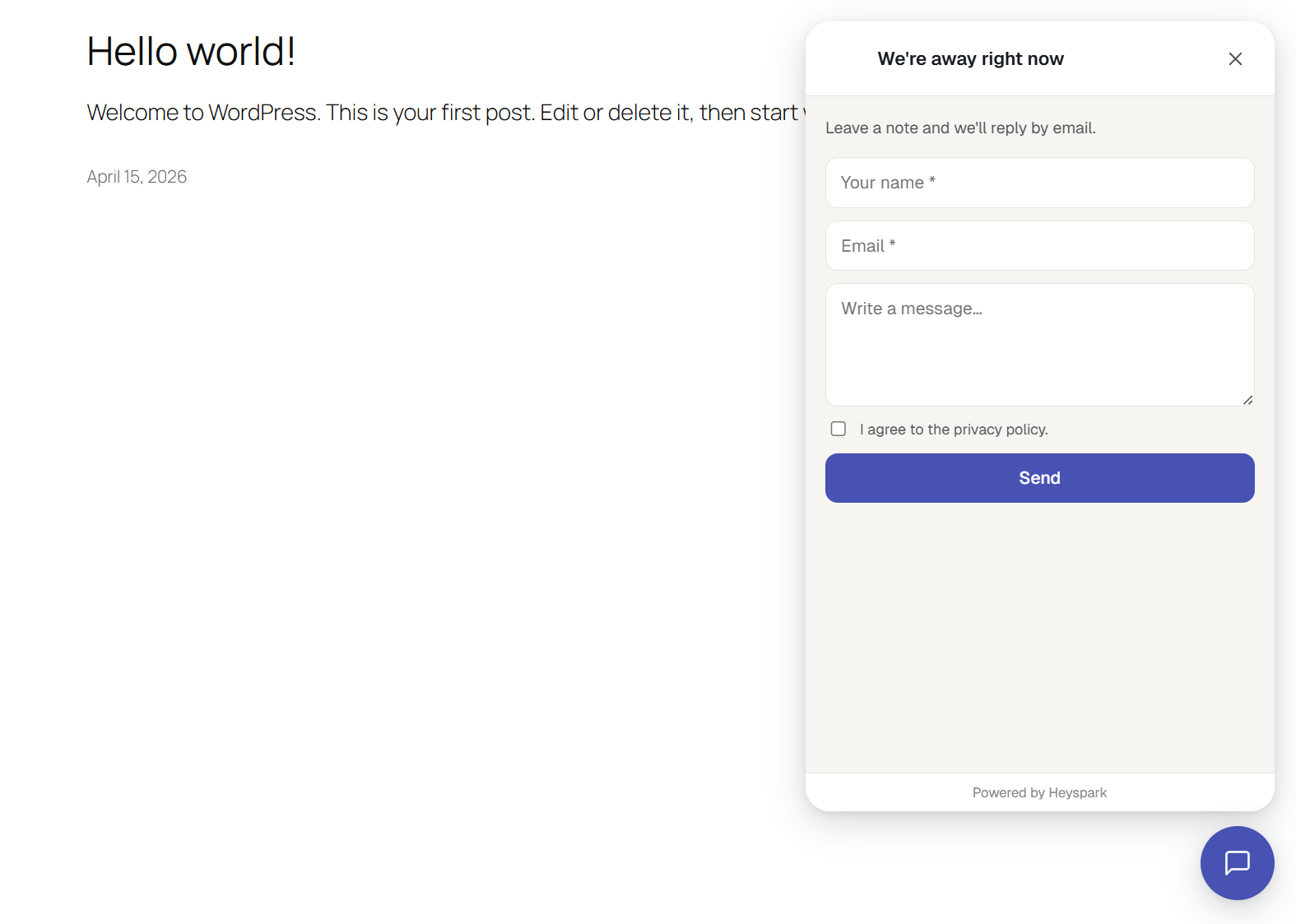
- Offline message form with email notifications when you’re away
- Pre-chat form with name + email capture
- Optional GDPR consent checkbox with configurable text
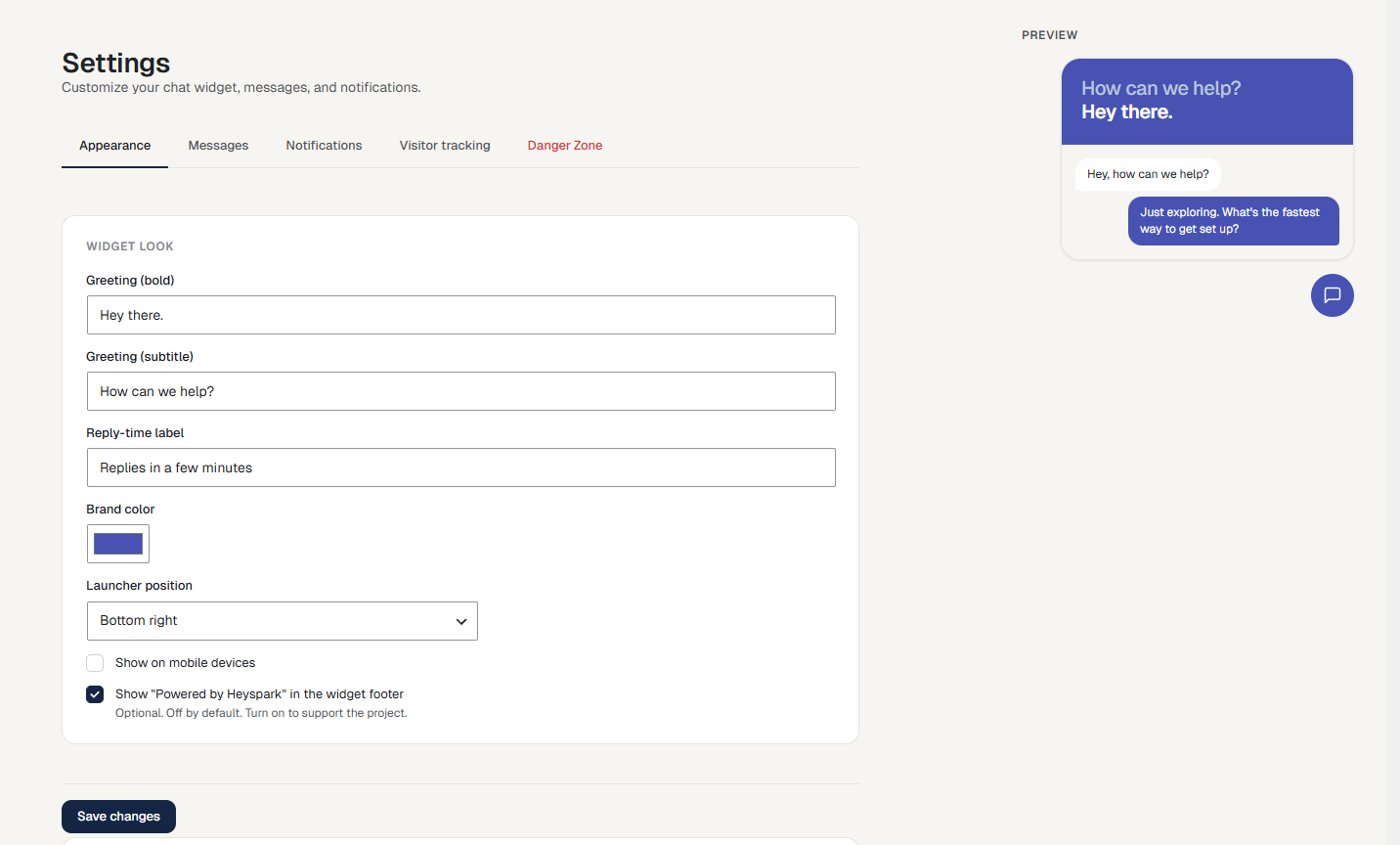
- Appearance settings: greeting, brand color, launcher position (left/right)
- Mobile show/hide toggle
- Sound + desktop notifications for new messages
- Repeating new-chat sound until you open the conversation
- Read receipts (sent / seen ticks), with the exact “seen” time on hover
- Auto-close inactive conversations after a chosen time
- Live “visitors online” dashboard with activity scores
- Optional visitor country lookup in the dashboard, with a country filter (off by default)
- Clickable links in the GDPR consent text
- Visitor can view previous conversations after a chat is closed
- Close conversations from the admin inbox
- Translation-ready, bundled POT
- Responsive, accessibility-minded design (keyboard navigation, ARIA live regions, focus management)
Pro features (available separately)
Upgrade to HeySpark Pro for:
- One-to-one video calls (camera to camera, relayed through your own TURN server)
- Agent-initiated chats: proactively message online visitors
- Multiple agents: map WP roles to agent capability, route new conversations
- Quick responses (canned replies)
- Page include/exclude rules
- Business hours with timezone support
- CSAT ratings after conversations end
- Custom branding: your own widget logo and closed chat-bubble icon
- “New visitor” alerts (sound and/or desktop notification when someone lands)
- “What’s new” announcements shown inside the widget
- Custom CSS for the widget
Learn more at codecabin.io/store/heyspark-pro.
لقطات الشاشة
التنصيب
- Upload the
heysparkfolder to the/wp-content/plugins/directory, or install from the WordPress plugin directory. - Activate the plugin through the Plugins menu in WordPress.
- Click HeySpark in the admin sidebar to access the inbox.
- Visit HeySpark > Settings to customize the widget and notifications.
- Browse to any page on your site. The chat launcher appears bottom-right by default.
الأسئلة المتكررّة
-
Does HeySpark connect to a third-party server?
-
No. Conversations are stored in your WordPress database. All real-time communication happens between the visitor’s browser and your own server via the WordPress REST API.
-
How does real-time live chat work without a third-party service?
-
HeySpark uses long-polling against the WordPress REST API. The visitor’s browser holds an open request that returns as soon as new activity happens on your conversation. It works on standard PHP hosting with no special server configuration.
-
Will it work with caching plugins?
-
Yes. The widget loads via deferred JavaScript and fetches its state over the REST API after the page loads, so cached HTML is fine. The admin inbox is not cached (WP-Admin is never cached).
-
How do I customize the widget’s colors?
-
Open HeySpark Settings, pick a brand color, change the greeting text or launcher position, and save. The live preview shows your changes before you commit.
-
Can I hide the chat on mobile devices?
-
Yes. Uncheck Show on mobile devices in Settings.
-
What happens when I close a conversation?
-
The conversation is marked closed. The visitor sees a “This conversation has ended” banner with a button to start a new live chat. Past conversations appear in their widget home screen so they can view the history.
-
Is it GDPR-compliant?
-
Enable the GDPR consent checkbox in Settings and set your consent text. The pre-chat form will require the visitor to agree before sending. Visitor conversations are stored with a hashed, HttpOnly cookie. No personal data beyond what the visitor submits.
By default HeySpark does not contact any third-party service with visitor data. See the FAQ entry below if you want to enable Gravatar-based visitor avatars (off by default; requires explicit opt-in).
-
Does HeySpark contact any third-party servers?
-
By default, no. Conversations, settings, agents and visitor sessions all live in your own WordPress database.
There is one optional integration: under Settings → Visitor tracking you can turn on “Fetch visitor avatars from Gravatar”. When enabled, hashed visitor emails are sent to Gravatar (run by Automattic) to fetch avatar images shown in the admin inbox. This setting is off by default and the plugin makes no external requests for visitor data unless you opt in.
A second optional integration: under Settings → Visitor tracking you can turn on “Look up visitor country from IP”. When enabled, visitor IPs are sent to a geolocation service (ipapi.co) to resolve a country for the visitors dashboard. This setting is off by default and results are cached per IP.
Agent avatars in the admin inbox use WordPress’s built-in
get_avatar_url()for the logged-in agent’s own account — this is standard WordPress behaviour, governed by the agent’s own profile rather than the plugin. -
Does the plugin work with multisite?
-
Each site in a multisite network runs its own HeySpark install with its own conversations and settings. No network-wide inbox in v1.
-
How do I translate HeySpark?
-
A POT file is included at
/languages/heyspark.pot. Use Poedit, Loco Translate, or translate.wordpress.org to create a translation. -
How do audio calls work?
-
Audio calls are off by default. Turn them on under Settings → Audio calls. Once enabled, visitors see a “Call us” option in the chat widget and agents can start a call from any conversation. Audio flows directly between the two browsers using WebRTC, so the voice stream never passes through your WordPress server. Only the call signaling (the setup handshake) and the call record (duration, who called) touch your site.
-
Do audio calls need a third-party service?
-
For setup, the browsers contact public STUN servers (Google and Cloudflare) to discover how to reach each other. No audio is sent to those servers. On restrictive networks a TURN relay is needed to carry the audio; this is off by default. You can either enable the optional HeySpark managed TURN relay (hosted on Cloudflare; audio passes through in transit but is never stored) or point the plugin at your own TURN server. Your conversations, messages and call history always stay in your WordPress database either way.
-
What happens if no agent is available to take a call?
-
If every agent is offline, or all online agents are already on a call, the visitor is shown the message form instead with a short note, so the contact is never lost. Visitor-initiated calls that ring without an answer are recorded as missed and can trigger an email to the address set under Settings.
-
Can an agent call a visitor back?
-
Yes. After a call ends or is missed, a “Call back” button appears on the call note in the conversation thread. Agents can also start a call at any time from the phone icon in the conversation header.
-
A call connected but I cannot hear anything. What is wrong?
-
Audio calls show two small level meters on the call card: the top bar is your microphone, the bottom is the other person. If your bar does not move when you speak, your microphone is blocked or muted at the OS level. If the other bar stays flat and a “No audio detected” notice appears, the media path is being blocked (common on strict corporate or mobile networks); enabling a TURN relay under Settings usually fixes this. For deeper diagnosis, turn on Verbose call debug logging in the Audio calls settings and reproduce the issue; events are written to
wp-content/uploads/heyspark/calls-YYYY-MM-DD.log. -
Can I do video calls?
-
Video calls are a HeySpark Pro feature. When enabled, a “Video call” button appears alongside the audio “Call us” option, and video flows camera to camera, peer to peer, between the two browsers. Relayed video (for restrictive networks) uses your own TURN server, so it stays on infrastructure you control. If a video call cannot connect, it falls back to the audio path.
-
Can I see which country my visitors are from?
-
Optionally, yes. Under Settings → Visitor tracking you can turn on “Look up visitor country from IP”. It is off by default. When enabled, the visitor’s IP is sent to a third-party geolocation service (ipapi.co) to label their row in the visitors dashboard with a country, and you can filter the list by country. Results are cached per IP. A VPN or proxy can make the country inaccurate.
المراجعات


المساهمون والمطوّرون
“HeySpark – Live Chat and Call Now Plugin” هو برنامج مفتوح المصدر. وقد ساهم هؤلاء الأشخاص بالأسفل في هذه الإضافة.
المساهمون
ترجمة ”HeySpark – Live Chat and Call Now Plugin“ إلى لغتك.
مُهتم بالتطوير؟
تصفّح الشفرة، تحقق من مستودع SVN، أو الاشتراك في سجل التطوير بواسطة RSS.
سجل التغييرات
1.2.00
- New: keep repeating the new-chat sound until you open the conversation.
- New: see each online visitor’s country in the visitors dashboard, with a country filter. Optional and off by default.
- New: clickable links and basic formatting in the GDPR consent text.
- New: supports HeySpark Pro video calls, with a “Video call” button in the widget when Pro is active.
- Improved: new unread chats show with an accent bar and dot instead of a pill.
- Improved: “Seen” read-receipt ticks show the time the visitor read your message on hover.
- Improved: a dedicated Heyspark Pro tab in Settings.
- Fix: the typing indicator could briefly linger after a message arrived, on both the visitor and agent sides.
1.1.00
- New: Audio call functionality
- New: read receipts. A double tick shows when the visitor has seen your reply.
- New: desktop notifications and a sound for new chats, even when the inbox tab is in the background.
- New: auto-close conversations after a chosen period of inactivity.
- New: settings now save on a single page, so changes across every tab are saved together.
- Improved: cleaner inbox layout with the secondary sidebar removed.
- Improved: the Appearance live preview now reflects every setting accurately.
1.0.01
- Fix: settings checkboxes on one tab were being reset when saving a different tab.
- Fix: widget header now reflects the brand color you set in Appearance (was using a hard-coded gradient).
1.0.00
- Initial release.