الوصف
يسمح هذا المكون الإضافي للمستخدمين باستنساخ المقالات من أي نوع، أو نسخها إلى مسودات جديدة لمزيد من التحرير.
كيفية عمله:
-
في “تحرير المقالة” / “تحرير الصفحات” ، يمكنك النقر فوق رابط “استنساخ” أسفل عنوان المقالة / الصفحة: سيؤدي هذا إلى إنشاء نسخة على الفور والعودة إلى القائمة.
-
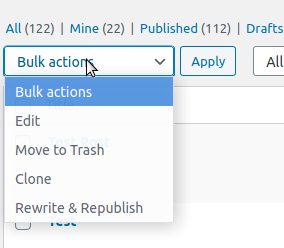
In ‘Edit Posts’/’Edit Pages’, you can select one or more items, then choose ‘Clone’ in the ‘Bulk Actions’ dropdown to copy them all at once.
-
في “تحرير المنشورات” / “تحرير الصفحات” ، يمكنك النقر فوق رابط “مسودة جديدة” أسفل عنوان المقالة/ الصفحة.
-
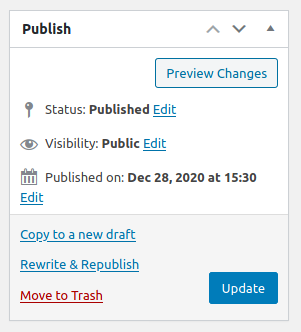
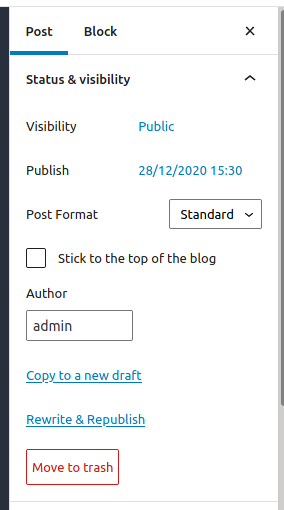
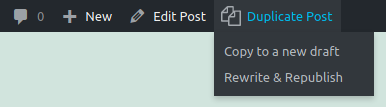
On the post edit screen, you can click on ‘Copy to a new draft’ above “Cancel”/”Move to trash” or in the admin bar.
-
أثناء عرض المقالة كمستخدم مسجّل الدخول، يمكنك النقر فوق “نسخ إلى مسودة جديدة” في شريط الإدارة.
ستؤدي ٣ و ٤ و ٥ إلى صفحة التحرير الخاصة بالمسودة الجديدة: قم بتغيير ما تريد، وانقر فوق “نشر” ، وبذلك تكون قد انتهيت.
There is also a template tag, so you can put it in your templates and clone your posts/pages from the front-end. Clicking on the link will lead you to the edit page for the new draft, just like the admin bar link.
Duplicate Post has many useful settings to customize its behavior and restrict its use to certain roles or post types. Check out the extensive documentation on yoast.com and our developer docs.
المساهمة
إذا وجدت هذا مفيدًا وكنت ترغب في المساهمة، فهناك طريقتان:
- Submit your bug reports, suggestions and requests for features on GitHub;
- إذا كنت تريد ترجمته إلى لغتك (هناك فقط بضعة أسطر من النص) ، يمكنك استخدام مشروع ترجمة;
لقطات الشاشة

التنصيب
استخدم ميزة أضف مكون جديد في WordPress، أو ابحث عن “مقالة مكررة” ، أو قم بتنزيل الأرشيف و:
- فك ضغط الأرشيف على كمبيوترك
- Upload
duplicate-postdirectory to the/wp-content/plugins/directory - قم بتفعيل المكون الإضافي من خلال قائمة “الإضافات” في WordPress
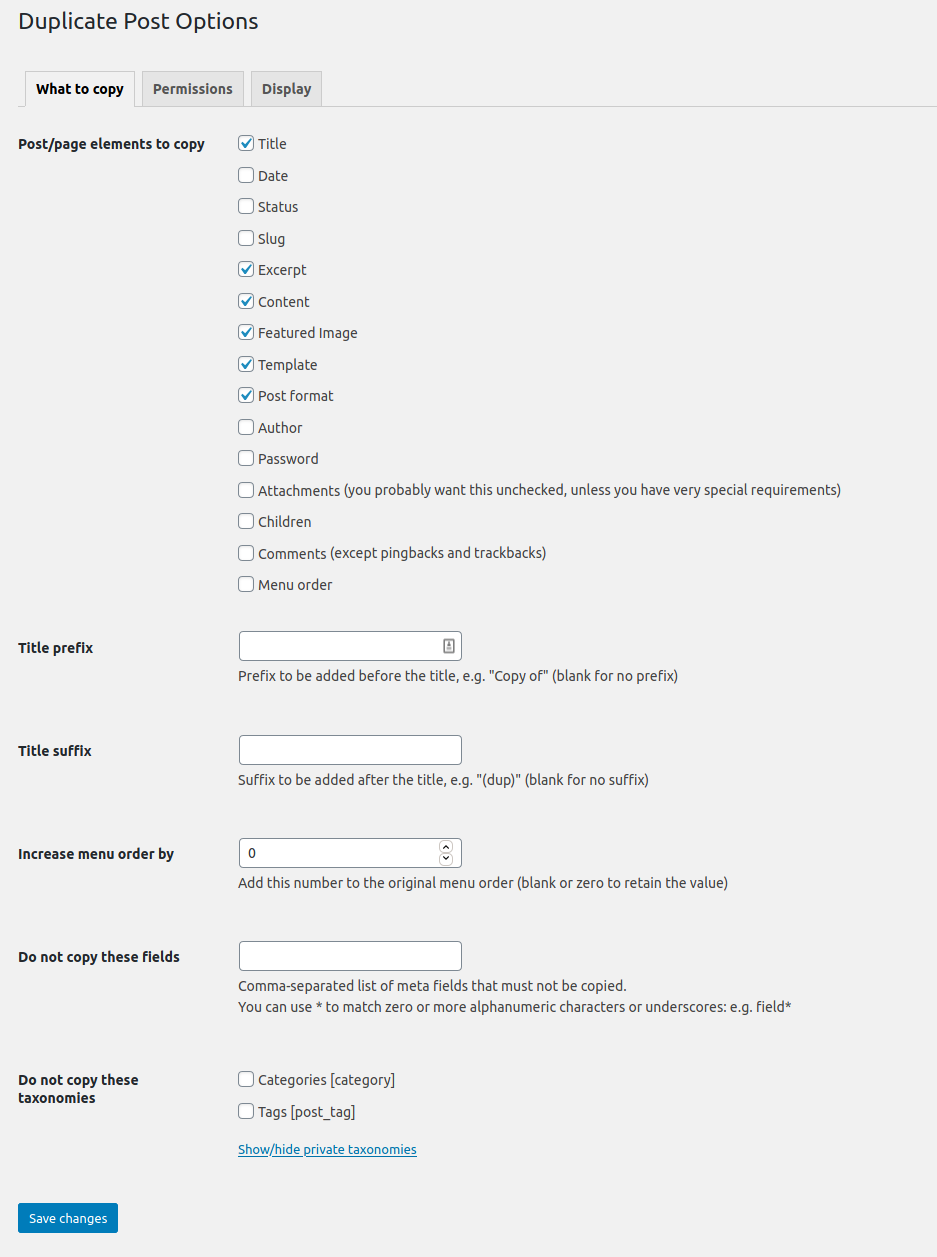
- Go to Settings -> Duplicate Post and customize behaviour as needed
الأسئلة المتكررّة
-
الإضافة لا تعمل، لماذا؟
-
First, check your version of WordPress: the plugin is not supposed to work on old versions anymore. Make sure also to upgrade to the last version of the plugin!
ثم حاول تعطيل ثم إعادة التفعيل مرة أخرى، فقد أفاد بعض الأعضاء أن هذا الإجراء يحل المشكلة.
انتبه أيضًا إلى علامة التبويب “الأذونات” في الإعدادات: تأكد من تمكين المكون الإضافي للأدوار وأنواع المقالة المطلوبة.
If it still doesn’t work, maybe there is some kind of conflict with other plugins: feel free to write in the forum and we’ll try to discover a solution (it will be really helpful if you try to deactivate all your other plugins one by one to see which one conflicts with mine… But do it only if you know what you’re doing, I will not be responsible of any problem you may experience).
-
هذه الإضافة غير مترجمة لأي لغة!
-
From version 3.0 the plugin’s translations are managed by the WordPress.org platform and the plugin is shipped without language files, so first of all update translations under Dashboard->Updates.
If Duplicate Post is still in English, or if there are some untranslated strings, you can help translating to your language: you only need a WordPress.org account.
المراجعات


المساهمون والمطوّرون
“Yoast Duplicate Post استنساخ الصفحات والمقالات” هو برنامج مفتوح المصدر. وقد ساهم هؤلاء الأشخاص بالأسفل في هذه الإضافة.
المساهمون

لقد تم ترجمة ”Yoast Duplicate Post استنساخ الصفحات والمقالات“ إلى 51 لغة. شكراً إلى جميع المُترجمين لمُساهماتهم.
ترجمة ”Yoast Duplicate Post استنساخ الصفحات والمقالات“ إلى لغتك.
مُهتم بالتطوير؟
تصفّح الشفرة، تحقق من مستودع SVN، أو الاشتراك في سجل التطوير بواسطة RSS.