

الوصف
DentalZaikoMaker is an inventory and expense management plugin built for dental clinics and dental laboratories. The plugin tracks lots and expiry dates, requires at least one registered supplier per material so reordering is always possible, highlights the recommended supplier based on price, events, and purchase history, and visualizes monthly savings. The user interface ships in Japanese for the Japanese dental market.
Key features
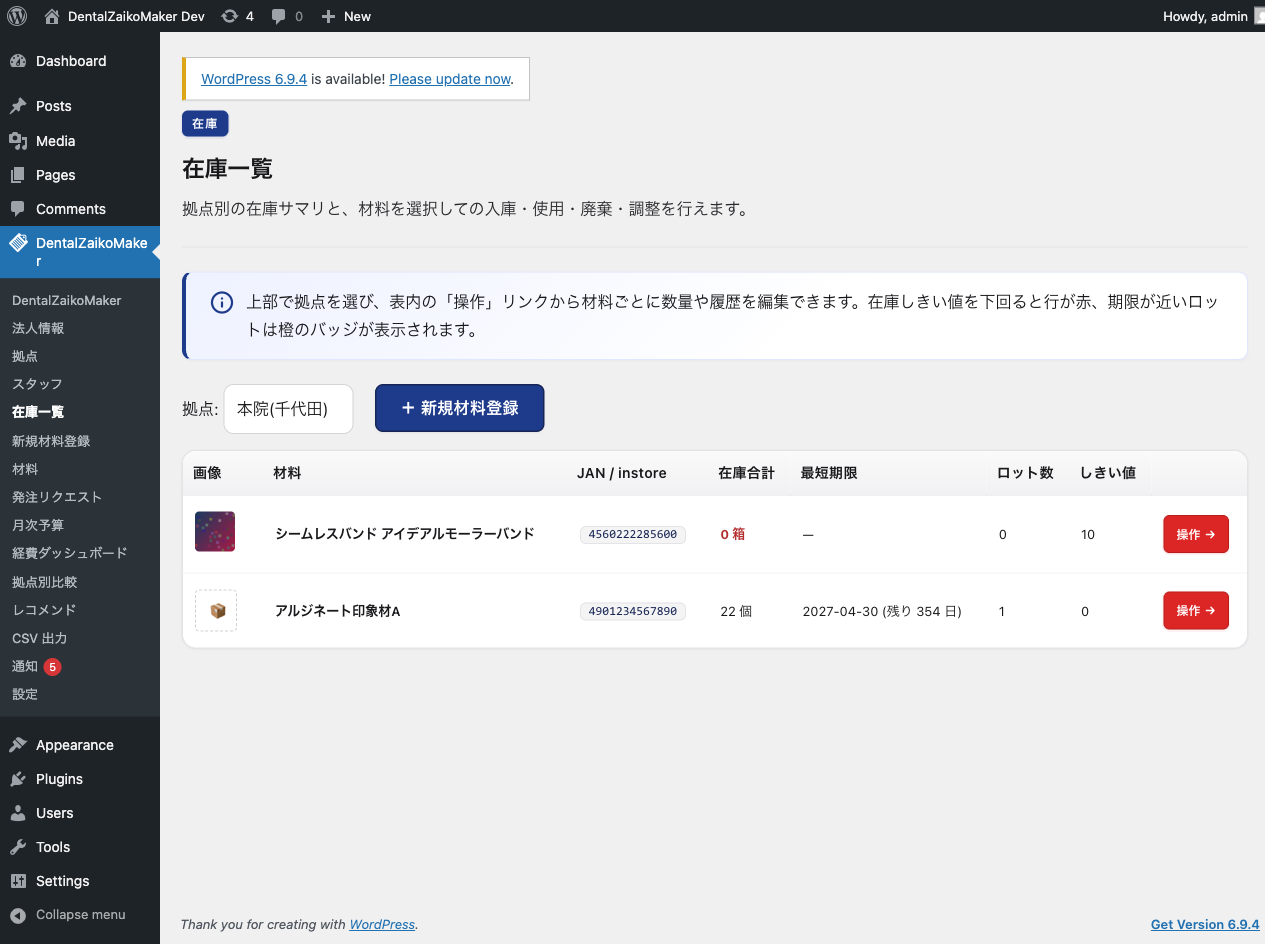
- JAN code based inventory registration and management, with automatic sync to the companion material database web service
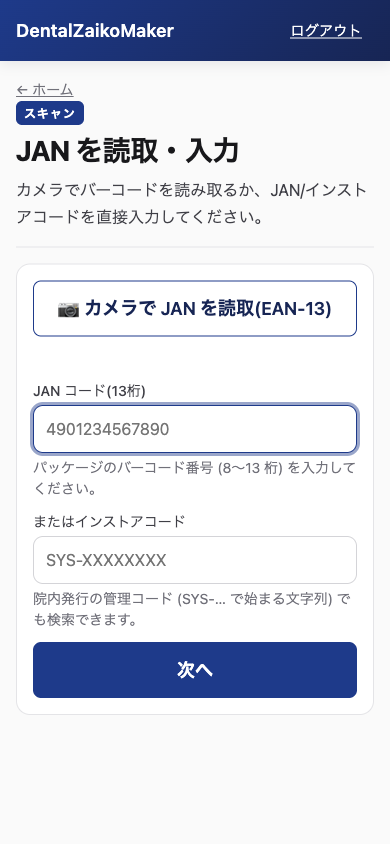
- Smartphone barcode scanning via PWA: JAN/EAN barcodes plus GS1/UDI codes on medical-supply packaging (1D GS1-128 / GS1 DataBar, and 2D DataMatrix/QR). GS1 codes auto-fill the lot number and expiry date on stock-in. Decoding is done in the browser by a bundled pure-JavaScript library; codes can always be typed in by hand instead.
- Lot number and expiry date tracking with expiration alerts
- Low stock alerts (in-screen and email)
- Order request and administrator approval workflow
- Three role tiers: administrator (approves orders, edits budgets), staff (stock in, use and dispose), and view-only
- Offline-capable Service Worker cache
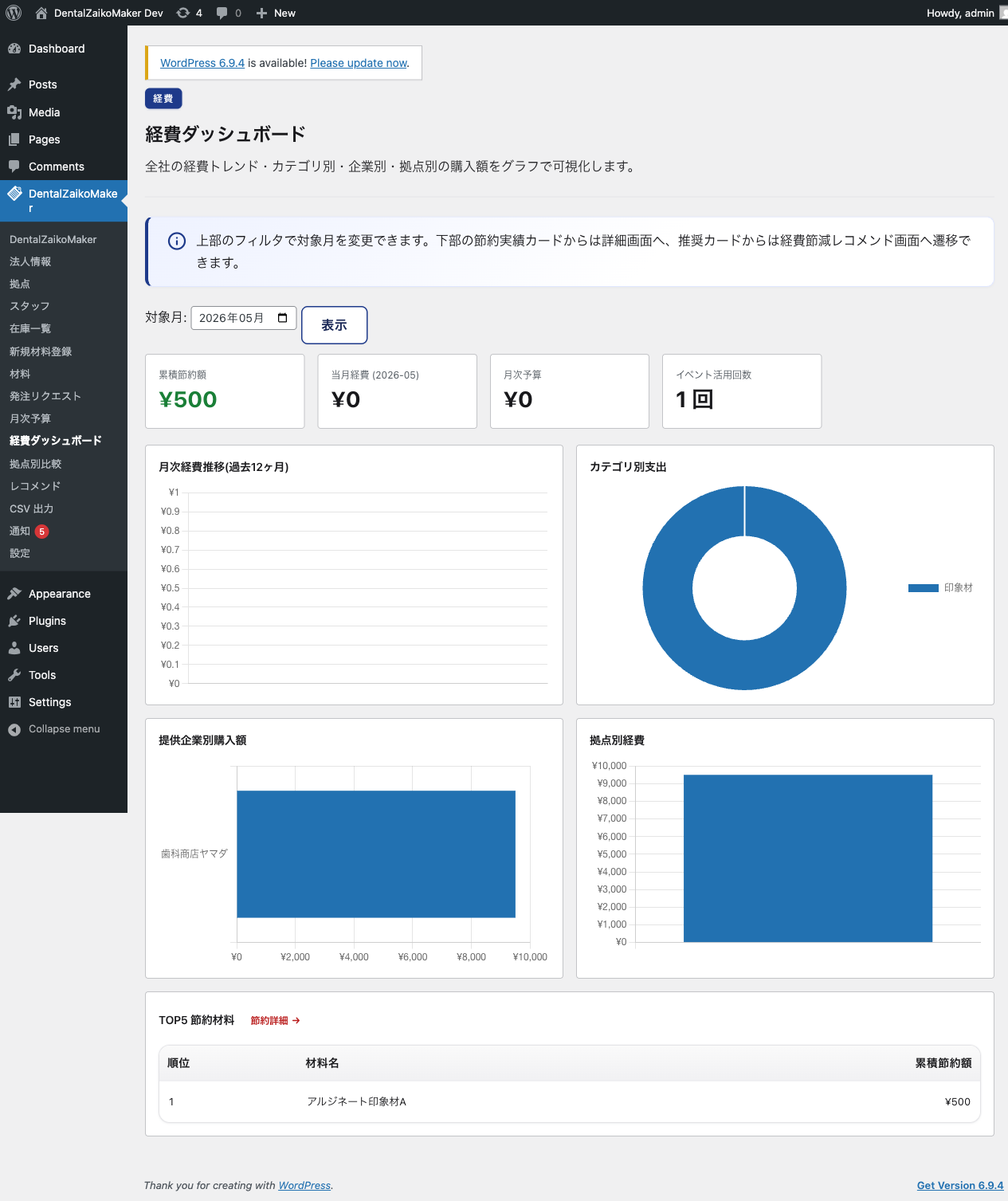
- Expense dashboard with monthly trend, supplier, category, and branch axes (Chart.js)
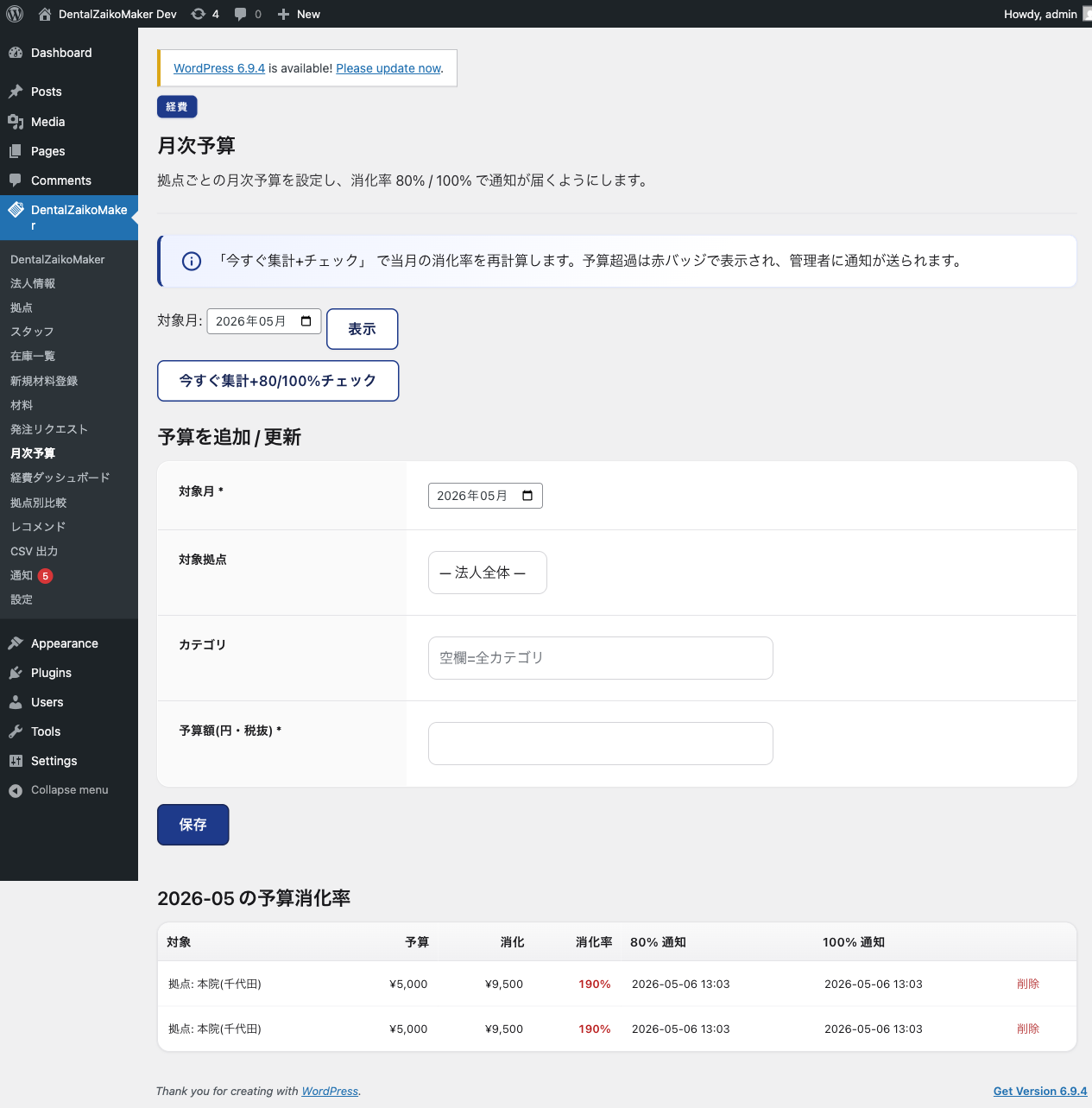
- Monthly budget management with 80% and 100% threshold alerts
- Savings visualization with per-material ranking
- Weekly recommendation engine: overstock, dead stock, joint purchase
- CSV export in freee and Money Forward formats
- Recommended supplier highlighting
- Cross-branch unit price comparison
- Local price-trend chart (own clinic data, no external transmission)
- Optional opt-in monthly statistics report for public price-trend reference (OFF by default, anonymous by default)
Camera scanning
Barcode decoding runs entirely in the browser, using the bundled pure-JavaScript library @zxing/library (public/js/vendor/zxing-library.js, upstream’s unminified build). There is no WebAssembly and no binary in this package, and nothing is downloaded from any external host: camera frames never leave the device, and only the resulting code string is sent to the site.
Formats read by the camera: EAN-13 / EAN-8 / UPC-A (JAN), Code 128 (GS1-128), GS1 DataBar (RSS-14), GS1 DataBar Expanded, DataMatrix and QR. GS1 DataBar Limited and UPC-E are not decoded by this library and are typed in by hand. Camera scanning needs a browser with camera access; on any device, codes can be entered manually instead.
External service integration
This plugin connects to the companion material database web service at https://healthbanks.org/dzm/.
Data exchanged includes the corporation ID, JAN/in-store codes, order details, and material feedback posts; see
“Communication timing” below for the full list of what is sent, when, and by which feature.
Integration can be disabled at any time with the “連携を解除する” (revoke) button on the settings screen. Revoking deletes the stored consent and access tokens; from that moment the plugin sends no API request of any kind, and every scheduled task that would contact the service stops. Your local inventory data is kept.
- Service: https://healthbanks.org/dzm/
- Terms of Use: https://healthbanks.org/dzm/terms
- Privacy Policy: https://healthbanks.org/dzm/privacy
In addition, the plugin offers an OPTIONAL monthly statistics report (see “Optional monthly statistics report” below).
This report is OFF by default and requires a separate, explicit opt-in.
Optional monthly statistics report (opt-in only)
To help public bodies (such as dental associations and the Ministry of Health, Labour and Welfare) understand
material price trends — for example as reference material for insurance fee reviews — the plugin can send an
aggregated monthly statistics report to the same web service (https://healthbanks.org/dzm/).
- This feature is DISABLED by default. Nothing is sent unless the clinic administrator explicitly opts in on the
“Public report” settings screen and acknowledges what is sent. - When enabled, once a month the plugin sends an AGGREGATED summary for the previous month: for each material or
category, its JAN code, the monthly unit price (average, minimum, maximum), the quantity and the order count,
together with the business type (clinic or laboratory) and the prefecture. The JAN code is what makes the
statistics comparable across clinics; no order-level record is included. - Raw order records, patient information, and clinical information are NEVER sent — only the monthly aggregates above.
- The sender identity is ANONYMOUS by default; the administrator may optionally choose to disclose it.
- You can turn the report off at any time from the same settings screen; sending stops immediately.
Communication timing
No communication with the web service happens until the clinic administrator enables the integration (the consent
dialog on the settings screen). After consent, most communication happens in response to explicit user actions; a few
background tasks also run on a schedule, as listed below.
User actions:
- Connecting the site: when the administrator enters the connection key, it is exchanged with the web service for an access token, and that token is renewed when it expires
- Connecting the site with an application code instead of a connection key: the code is exchanged with the web service for the connection credentials
- “Connection test” button: fetches one material master record to confirm the site can reach the web service
- Material lookup and registration: when a JAN code or in-store code is entered
- Inventory list view: refreshes status if the cached data is older than 24 hours
- Material detail view: refreshes status if the cached data is older than 24 hours
- “Refresh from server” button: forces an immediate status refresh
- Order request creation: fetches recommended supplier, discontinued flag, and name changes
- Order approval: records the order click on the web service
- Seller linking: when a seller code is entered, links/unlinks a registered seller
- Order to a linked seller: sends the order request to the seller via the web service
- Return request to a linked seller: when a return is recorded against an order that was placed through the web service, the return request is sent to that seller
- Material feedback: when the user posts a request, suggestion, or defect report about a material, the post is sent to the web service so it can reach the material’s manufacturer
- Campaign/event digest: while a staff member views the My Page screen, a conditional GET (ETag) asks the web service whether the list of active supplier campaigns has changed
Scheduled background tasks (only after consent):
- Seller order sync (hourly): checks the web service for status updates (confirmed/shipped/declined) on orders sent to linked sellers, and for the seller’s decision (accepted/rejected) on any return requests
- Material feedback sync (hourly): checks the web service for the read/handled status of feedback the clinic has posted, and re-sends any feedback post that previously failed to reach it
- Monthly statistics report (opt-in only, separate from consent): sends aggregated price statistics for the previous month on a monthly schedule
Three further scheduled tasks run entirely on your own site and never contact the web service: the daily stock/expiry alert check, the weekly recommendation pass, and a daily cleanup of unattached image uploads.
Data sent on user actions: corporation ID, JAN code, in-store code, (at order time) quantity and chosen supplier, (for seller orders) the order request lines, each with JAN code, product name, quantity and unit price, (for return requests) the seller order number, the JAN code, product name, quantity, reason and free-text note of the returned item, and (for material feedback) the post category, title, free-text body, the JAN code and manufacturer name of the material, the anonymous/urgent flags, and the clinic’s name and contact email.
Data sent by the opt-in monthly report: for each material or category, the monthly average/minimum/maximum unit price, quantity and order count, along with the material’s JAN code, the business type, and the prefecture.
Data NOT sent: patient information, clinical information, or personal health information. The opt-in monthly report never sends raw order records — only the aggregates above.
Bundled third-party libraries
Every bundled third-party file is copied verbatim, byte for byte, from the prebuilt distribution of a pinned upstream npm package. Nothing is minified, transformed, concatenated or patched by this plugin. One of the three (Chart.js) is minified in the form upstream publishes it; the human-readable source of every file is named below. The exact versions are pinned in package.json.
To verify this, run the following from the plugin’s root directory. It checks the SHA-256 of every bundled file and exits non-zero on any mismatch:
shasum -a 256 -c public/licenses/VENDOR-CHECKSUMS.txt
public/licenses/VENDOR-PROVENANCE.txt lists, for each bundled file, its upstream project, license, the exact path it was copied from, and the commands to regenerate it from npm.
- @zxing/library 0.23.0 (Apache-2.0 License) — https://github.com/zxing-js/library — public/js/vendor/zxing-library.js, the pure-JavaScript barcode decoder used by the staff PWA. This is upstream’s unminified UMD build (umd/index.js), shipped as-is so the code running in the browser is human-readable; the TypeScript source is https://github.com/zxing-js/library/tree/v0.23.0/src. No WebAssembly and no external request is involved. License text: public/licenses/ZXING-JS-LICENSE.txt.
- Chart.js 4.5.1 (MIT License) — https://github.com/chartjs/Chart.js — admin-side expense and price charts (public/js/vendor/chart.umd.min.js). Upstream ships this file minified; the human-readable source is dist/chart.js in the same npm package, and the original source is in the repository above.
- qrcode-generator 2.0.4 (MIT License) — https://github.com/kazuhikoarase/qrcode-generator — renders the staff-app login QR code locally in the browser (public/js/vendor/qrcode-generator.js); no external request is made. Unminified upstream source.
Privacy Policy
- Data sent to the web service: corporation ID and corporation name, the clinic’s contact email, JAN/in-store codes looked up, order details (JAN code, product name, quantity, unit price) for orders placed with a linked seller, and the full text of any material feedback the user chooses to post.
- Data sent only when the optional monthly report is enabled: per material/category, the JAN code and the aggregated monthly price statistics (average/minimum/maximum unit price), quantity and order count, plus the business type (clinic or laboratory) and the prefecture. The sender identity is anonymous by default.
- Data NOT sent: patient information, clinical information, or personal health information. The optional monthly report never sends raw order records.
- All data is managed under the privacy policy at https://healthbanks.org/dzm/privacy (terms of use: https://healthbanks.org/dzm/terms).
لقطات الشاشة
التنصيب
- Upload the plugin and activate it.
- Open “DentalZaikoMaker > Settings” in the WordPress admin.
- Accept the external service consent dialog.
- Paste the connection key issued for your account (it begins with “dzmk_”) into the connection key field and save. The corporation ID and API token are read from it automatically.
- Register your corporation, branches, and staff in order.
الأسئلة المتكررّة
-
Does this plugin handle patient data?
-
No. The plugin only manages dental material inventory and never touches patient or clinical records.
-
Can I disconnect the external service?
-
Yes. The settings screen has a “連携を解除する” (revoke) button. It deletes the stored consent and the saved access tokens, and from that moment the plugin makes no request to the web service at all — including the scheduled tasks. Your local inventory data is not deleted. You can consent again later and reconnect with your connection key.
-
Does the plugin send any data automatically?
-
Only if you opt in. By default the plugin communicates only in response to your actions. There is one optional feature — the monthly statistics report — which, after you explicitly enable it, sends an aggregated monthly price summary (never raw orders or patient data) on a monthly schedule. It is anonymous by default and can be turned off at any time from the “Public report” settings screen.
-
Our e-mail address or clinic name changed. What do I need to update?
-
Two places, and they are separate. The “法人情報” (organisation) screen in this plugin holds what appears in the signature and the “from” block of the order e-mails your suppliers receive. Your login e-mail address and the name sellers see are held by the web service and are changed from your page there. Changing one does not change the other.
Either way, do not sign up again with a new address. That creates a second account with a different corporation ID, and your seller links, order and return history, posts and imported-name matches are all left behind on the old one.
-
I changed our address. Why did the seller reply to the old one?
-
An order carries the name and contact address as they were when it was sent, and that record is not rewritten afterwards. A seller’s confirmation for an order you sent earlier therefore goes to the address that was current at the time. If you have orders still in progress, either wait for them to be settled or tell the seller directly.
-
Can it be used on smartphones?
-
Yes. Administrators can share the staff PWA URL so staff members can run inventory operations and barcode scans from a mobile browser. Camera scanning works out of the box — the decoder is bundled with the plugin and there is nothing to install (see “Camera scanning”). It needs a browser that grants camera access; codes can always be typed in by hand instead.
-
Does it work offline?
-
The plugin includes Service Worker offline caching, so the staff app opens and the inventory can be read without a connection. Changes (stock in/out, orders) still need a connection — they are not queued for later.
-
Does it integrate with freee or Money Forward?
-
Not directly, but the plugin exports CSV files in both the freee and Money Forward formats.
المراجعات
لا توجد مراجعات لهذه الإضافة.
المساهمون والمطوّرون
“DentalZaikoMaker” هو برنامج مفتوح المصدر. وقد ساهم هؤلاء الأشخاص بالأسفل في هذه الإضافة.
المساهمون
لقد تم ترجمة ”DentalZaikoMaker“ إلى لغة واحدة. شكراً إلى جميع المُترجمين لمُساهماتهم.
ترجمة ”DentalZaikoMaker“ إلى لغتك.
مُهتم بالتطوير؟
تصفّح الشفرة، تحقق من مستودع SVN، أو الاشتراك في سجل التطوير بواسطة RSS.
سجل التغييرات
Only the current release is summarised here; the full history is in changelog.txt, included with the plugin.
1.29.2
- Fixed: on the staff registration screen the description of what each role can do was wrong and, on the phone, contradicted the choice above it. A lead can send an order to the supplier, but the option still read “sending is done by an administrator” — wording left over from before the role was widened. The same screen said, a line below, that a lead sends orders themselves.
- The description now follows the choice: only the selected permission is listed, with each thing it can and cannot do. Previously the same four lines were shown whatever was selected, so choosing Administrator or View only still explained leads and staff.
- What each permission can do is now held in one place and read by both the computer screen and the phone. The two used to hold their own wording, which is how they came to disagree.
- “Role” is now called “Permission” throughout.