
الوصف
The Ribbon Manager plugin give the ability to add a side ribbon on the blog without touching the template file or the css.
Please note that the plugin needs a theme with wp_head(); and wp_footer(); enabled.
Arbitrary section
لقطات الشاشة
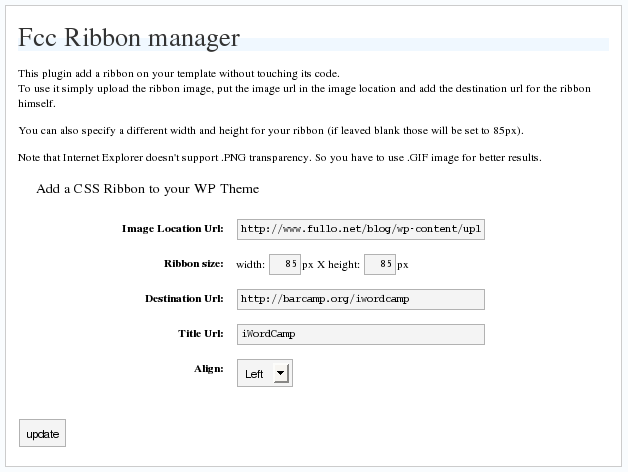
Latest release
التنصيب
This section describes how to install the plugin and get it working.
e.g.
- Upload
fcc_ribbon.phpto the/wp-content/plugins/directory - Activate the plugin through the ‘Plugins’ menu in WordPress
- Go in
Option->Ribbon Managerand configure it
الأسئلة المتكررّة
- Why It doesn’t work on IE?
-
Maybe because you are using a PNG image, try with a GIF
- I use GIF but I cannot see the ribbon!
-
Are you using any other plugin with add dinamically styles on wordpress? Try to disable them.
المراجعات
لا توجد مراجعات لهذه الإضافة.
المساهمون والمطوّرون
“FCC Ribbon Manager” هو برنامج مفتوح المصدر. وقد ساهم هؤلاء الأشخاص بالأسفل في هذه الإضافة.
المساهمون
ترجمة ”FCC Ribbon Manager“ إلى لغتك.
مُهتم بالتطوير؟
تصفّح الشفرة، تحقق من مستودع SVN، أو الاشتراك في سجل التطوير بواسطة RSS.