

الوصف
AngelForce Cache makes your site faster without a complicated setup: answer two questions, click once, done.
Measured, not promised. On a real server (Ubuntu, Apache, PHP 8, MariaDB) with an Astra + Elementor site, cached pages were served with a 0.6 ms time to first byte and 5,600+ requests per second, compared with 105 ms / 17 req/s for the same site without page caching.
Every setting explains itself. A small ? next to each option tells you what it does, when to use it and what to watch out for, so you never have to guess.
- Page cache served as static files by Apache/LiteSpeed (no PHP), with an advanced-cache.php drop-in fallback
- Automatic purge when posts, comments, menus, widgets or themes change
- Cache preload in the background, from your XML sitemap (core, Yoast, Rank Math, AIOSEO)
- One-minute setup wizard with Safe / Balanced / Maximum profiles
- Built-in compatibility list: payment, checkout, captcha, consent, form and slider scripts are never delayed
- Admin bar shows whether visitors get the current page from cache, and if not, why
- WebP and AVIF image optimization (upload + bulk), critical CSS, remove unused CSS
- Cloudflare: the edge cache is purged together with the AngelForce Cache cache
- HTML and CSS minify (local files are minified once and cached)
- Defer JavaScript and delay JavaScript until user interaction
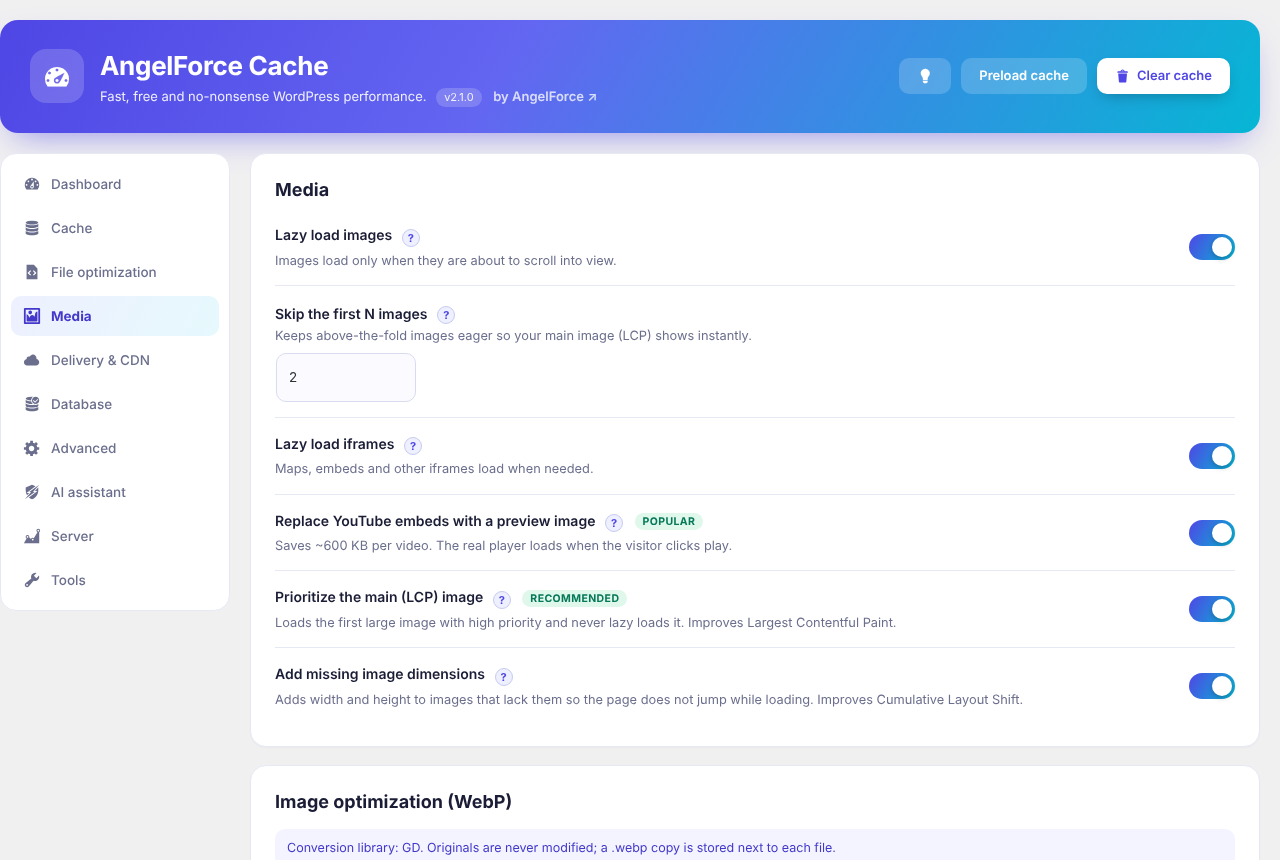
- Lazy load images and iframes, YouTube click-to-play facade
- GZIP and browser caching rules for Apache / LiteSpeed
- One main site address: http https and www / non-www 301 redirects with loop protection
- SEO and accessibility report from Google’s checks, explained by AI
- CDN URL rewrite, DNS prefetch and font preload
- Disable emojis, oEmbed, limit Heartbeat
- Database cleanup (revisions, drafts, spam, transients, orphan meta) with optional schedule
- Settings import / export
- Core Web Vitals from real visitors with a 30-day history chart, LCP image priority, image dimensions, font swap
- Translation ready: translations are provided by the community on translate.wordpress.org
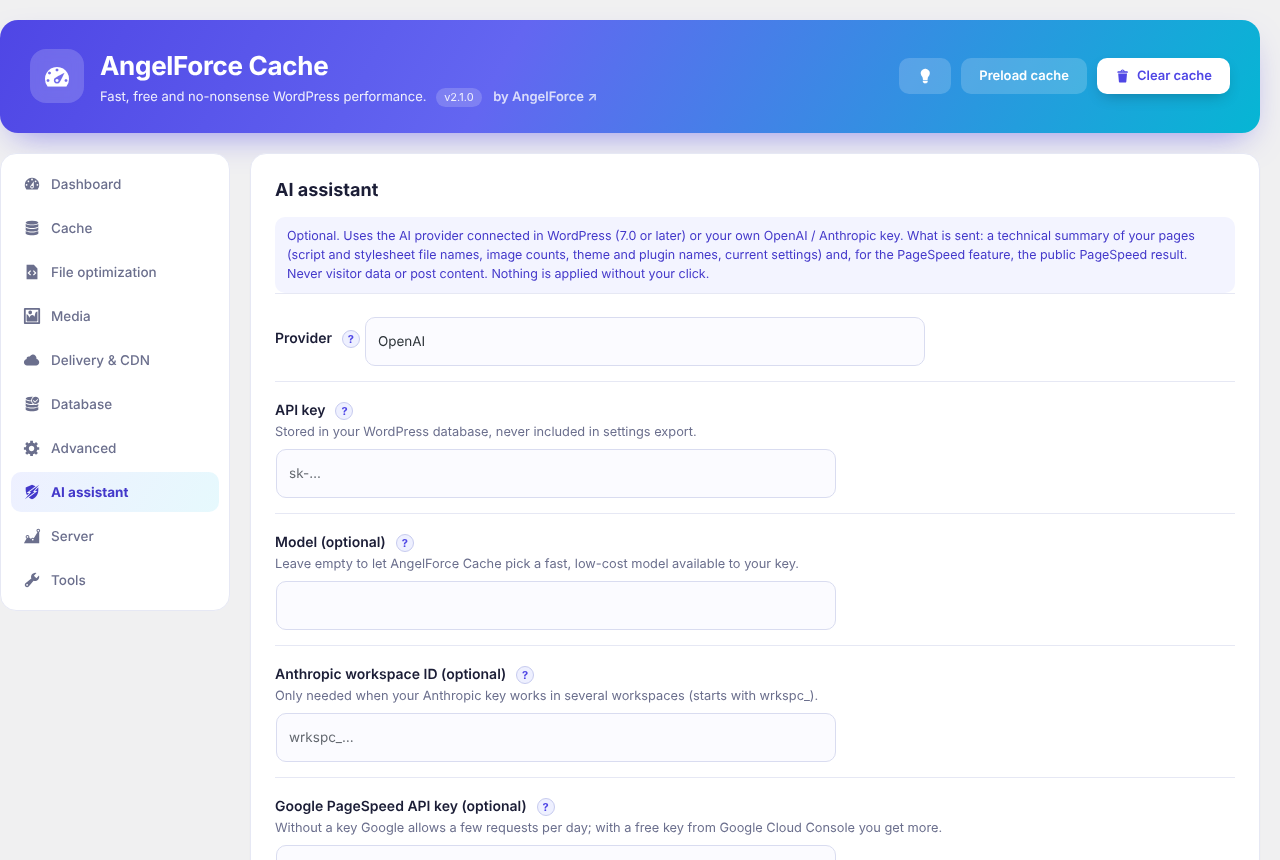
- Optional AI assistant (the AI provider configured in WordPress 7.0+, or your own OpenAI or Anthropic key): analyses your site and proposes safe settings with exclusion lists; fixes PageSpeed Insights findings for mobile and desktop all at once or step by step with automatic undo of a breaking step; post-change health check; alt text for images that have none
- Admin bar shortcuts: clear all cache / clear this page
- Server tab: live CPU, memory, disk and OPcache gauges with 7-day history charts and database size
- WooCommerce ready: cart, checkout and account never cached; product pages refreshed when stock or sales change
Troubleshooting: add ?velox_off=1 to any URL while logged in as admin to view the page without optimization.
External services
AngelForce Cache works without any external service. The services below are only contacted when you switch on the feature that needs them. No visitor data, cookies or post content is sent to any of them.
OpenAI API (optional AI assistant)
Used when you choose OpenAI as AI provider and enter your own API key. When you click “Analyse site”, “Run PageSpeed”, “Run report” or “Run health check”, the plugin sends a technical summary of your pages (script and stylesheet file names, image counts, theme and plugin names, your current AngelForce Cache settings and, for the PageSpeed features, the public PageSpeed Insights result) to api.openai.com. For “Generate alt texts” a 512 px JPEG preview of each image without alt text is sent. When the default model is no longer available, the list of models available to your key is requested once.
Terms of use: https://openai.com/policies/terms-of-use – Privacy policy: https://openai.com/policies/privacy-policy
Anthropic API (optional AI assistant)
Used when you choose Anthropic as AI provider and enter your own API key. The same data as for OpenAI above is sent to api.anthropic.com, only when you click one of the buttons named there.
Terms: https://www.anthropic.com/legal/commercial-terms – Privacy policy: https://www.anthropic.com/legal/privacy
WordPress AI Client (optional, WordPress 7.0 and later)
When you choose “WordPress AI” as provider, the same technical summary is passed to the AI Client built into WordPress, which sends it to the AI provider you connected in WordPress. That provider’s terms and privacy policy apply.
Google PageSpeed Insights API (optional)
When you click “Run PageSpeed” or “Run report”, the plugin asks Google PageSpeed Insights (www.googleapis.com) to test the public page address you entered, optionally with your own Google API key. Only the page address and, if you entered one, your API key are sent.
Terms: https://developers.google.com/terms – Privacy policy: https://policies.google.com/privacy
Cloudflare API (optional)
Only when you enter a Cloudflare API token and zone ID: when AngelForce Cache clears its cache, it asks Cloudflare (api.cloudflare.com) to clear the same page addresses. Only the page addresses and your zone ID are sent.
Terms: https://www.cloudflare.com/website-terms/ – Privacy policy: https://www.cloudflare.com/privacypolicy/
YouTube preview images (optional)
With “Replace YouTube embeds with a preview image” on, the visitor’s browser loads the video’s preview image from i.ytimg.com instead of loading the full YouTube player. The player itself (youtube.com) only loads when the visitor clicks play, as it would without this plugin.
Terms: https://www.youtube.com/t/terms – Privacy policy: https://policies.google.com/privacy
Nothing is changed on your site without your explicit click.
Security
- All admin actions require the manage_options capability and a nonce.
- The only public endpoint (Core Web Vitals beacon) works without login by design, like any analytics beacon. It accepts only five numeric values from pages of your own site (same-site Origin/Referer and a daily signed token), is size-limited (2 KB), rate-limited per IP, never takes a file name from the request and writes only when the feature is enabled.
- Cache files are stored per site host only; the drop-in and the .htaccess rules refuse foreign Host headers.
- The cache folder (wp-content/cache/velox) holds only HTML, CSS and JSON data; no PHP files are written there. Outside that folder the plugin writes only what a page cache needs: the advanced-cache.php drop-in in wp-content, its rules block in the site .htaccess, and the WP_CACHE line in wp-config.php (added on activation, removed on deactivation; if wp-config.php is not writable, a notice tells you to add it by hand). Its JSON, log and temporary files are blocked by .htaccess on Apache/LiteSpeed. On Nginx add:
location ~* /wp-content/cache/velox/.*.(php|json|log|tmp)$ { deny all; }
لقطات الشاشة



التنصيب
- Upload the
angelforce-cachefolder to/wp-content/plugins/, or install the ZIP from Plugins > Add New > Upload. - Activate the plugin.
- Open “AngelForce Cache” in the admin menu.
If WP_CACHE could not be added automatically, add define( 'WP_CACHE', true ); to wp-config.php.
الأسئلة المتكررّة
-
Does it work on Nginx?
-
Page cache, minify, lazy load and the other PHP features work. GZIP and browser caching rules must be added to your Nginx config manually.
-
Another cache plugin is installed.
-
Use only one page-cache plugin at a time. AngelForce Cache will not overwrite another plugin’s advanced-cache.php.
-
Is there an API for other plugins?
-
Yes, a PHP API for plugins on the same site (nothing is sent off the site). Check for AngelForce Cache with
function_exists( 'velox_get_status' ), then usevelox_get_status(),velox_get_server_stats(),velox_get_vitals(),velox_purge_url( $url ),velox_purge_all()andvelox_preload(). Hooks:velox_purged_all,velox_purged_url,velox_settings_saved, and the filtervelox_is_cacheable(return false to keep a page out of the cache). Documentation is inincludes/velox-api.php. -
My site is behind a proxy or load balancer
-
AngelForce Cache treats a request as HTTPS when the server says so or when the X-Forwarded-Proto header says https, which is what Cloudflare and most load balancers send. On a server that is directly on the internet that header comes from the visitor, so a visitor could only change which copy of the same page they receive; no content changes.
المراجعات
لا توجد مراجعات لهذه الإضافة.
المساهمون والمطوّرون
“AngelForce Cache – AI Speed Optimizer” هو برنامج مفتوح المصدر. وقد ساهم هؤلاء الأشخاص بالأسفل في هذه الإضافة.
المساهمون
لقد تم ترجمة ”AngelForce Cache – AI Speed Optimizer“ إلى لغة واحدة. شكراً إلى جميع المُترجمين لمُساهماتهم.
ترجمة ”AngelForce Cache – AI Speed Optimizer“ إلى لغتك.
مُهتم بالتطوير؟
تصفّح الشفرة، تحقق من مستودع SVN، أو الاشتراك في سجل التطوير بواسطة RSS.
سجل التغييرات
2.2.0
- Change: delaying JavaScript now works through the WordPress script APIs (wp_script_attributes and wp_inline_script_attributes filters) and applies to scripts enqueued with WordPress. A script is only delayed when every script that depends on it is delayed too.
- Change: critical / used CSS is added with wp_add_inline_style() and the full stylesheets are switched to non-blocking through the style_loader_tag filter. The CSS of a page or template is computed on its first build and used from the next one (the preloader requests each page twice).
- Change: CSS minify, Google Fonts display=swap, DNS prefetch / preconnect and font preload use the style_loader_src, wp_resource_hints and wp_preload_resources filters.
- Removed: “Combine deferred JavaScript files” (little gain on HTTP/2 and later) and the remote default-model list; the AI model is picked from your own key’s model list.
- Change: the cache folder only holds data files: the drop-in reads its settings from JSON and parsed stylesheets are stored as JSON instead of PHP.
- Requires WordPress 6.3 or later.
2.1.1
- Change: on the AngelForce Cache screen, notices printed by other plugins (rating requests, upsells) are shown below the plugin’s own screen instead of above it, so the dashboard starts at the top. Nothing is removed; every other admin screen is unchanged. Filter: velox_hide_foreign_notices.
2.1.0
- New name: AngelForce Cache – AI Speed Optimizer (folder and text domain angelforce-cache). While the earlier copy (folder velox-cache) is still active this one stays idle and shows a notice; deactivate the earlier copy and the settings carry over.
- New: the AI assistant can use the AI provider connected in WordPress 7.0 and later (WordPress AI Client), so no key has to be stored in this plugin. Your own OpenAI or Anthropic key still works; alt texts currently need it.
- Change: all front-end scripts and styles of the plugin (YouTube preview, delayed-script loader, full-CSS loader, Core Web Vitals collector) are separate files loaded with wp_enqueue_script / wp_enqueue_style and configured through data attributes; nothing is printed inline any more except the generated critical CSS.
- Change: “Defer JavaScript” uses the WordPress script loading strategies (6.3+) for enqueued scripts, so core keeps a script blocking whenever inline code or another script depends on it. The data: URL wrapper for inline scripts is gone.
- Change: files are resolved through plugins_url(), get_theme_root(), wp_upload_dir() and content_url(), so sites with moved plugin, theme or upload folders are optimized correctly.
- Change: translations come from translate.wordpress.org; the bundled language files were removed.
- Change: the shared-hosting hint on the Server tab no longer guesses from the folder name; hosts can set it with the velox_shared_hosting filter.
2.0.2
- Security: the public Core Web Vitals beacon (the only endpoint that works without login, used by the optional real-visitor measurement) now requires a same-site Origin/Referer and a daily signed token printed into the page, on top of the existing limits (five numbers only, 2 KB, one sample per IP per 30 s, fixed file in the cache folder). Reports from other sites or scripts are rejected with 403.
- Security: the public beacon never deletes files any more; expired rate-limit markers are removed by the hourly maintenance cron instead. A request can only choose between the fixed files mobile.log and desktop.log.
2.0.1
- Fix: with “Remove unused CSS” the full stylesheets now always follow right after the page has loaded instead of waiting for the first interaction or 5 seconds, so themes and page builders that add classes with JavaScript (for example Impreza with WPBakery) are never left unstyled.
- Fix: when the reduced CSS of a page is implausibly small next to the stylesheets it replaces, AngelForce Cache keeps those stylesheets (non-blocking, with critical CSS) for that page instead.
- Change: the Maximum profile keeps critical CSS on as a fallback and loads the full CSS right after page load; when a page builder is detected it shows a warning and asks for confirmation.
- New: the dashboard shows which quick-setup profile is active, with “Open quick setup again” to choose another one.
2.0.0
- New: a ? next to every setting explains what it does, when to use it and what to watch out for, in all 8 languages.
- Security (final audit before release): a percent-encoded NUL byte in an image or stylesheet URL can no longer trigger a PHP 8 error on the front end; the Brotli/gzip rules in .htaccess apply only to AngelForce Cache cache files instead of every .gz/.br file on the site; statically served pages send the same Vary header as the drop-in; manual critical CSS rejects expression(), javascript: and @import; ?velox_off=1 works for administrators only; translated strings are escaped before they are inserted into the admin page.
- New: PHP API for other plugins on the same site: velox_get_status(), velox_get_server_stats(), velox_get_vitals(), velox_purge_url(), velox_purge_all(), velox_preload(), the actions velox_purged_all, velox_purged_url and velox_settings_saved, and the filter velox_is_cacheable. Nothing is sent off the site.
- Security (independent audit): pages rendered with any query string, tracking parameters included, are no longer stored, so a crafted utm_ value printed by a theme or form plugin can never reach other visitors (visitors with tracking parameters still get the cached clean page); “Undo AI changes” always restores the settings from the start of the latest session and never rolls back API keys or tokens; the health check fetches the untouched page past the cache; the Web Vitals beacon rate-limits IPv6 networks per /64 and caps its rate-limit files; the host name is validated before it is written into .htaccess; month-old CSS parse caches are cleaned up.
- New: WooCommerce tab (shown when WooCommerce is active). Product pages, the shop page and product categories are refreshed when an order changes stock, stock status changes or a scheduled sale starts or ends, so a sold-out product never shows “In stock” from the cache. Optional: skip the cart fragments request for visitors with an empty cart. Tested on a real shop: cart, checkout and account pages and visitors with a cart are never cached.
- Fix: a tap or click made while delayed scripts are still loading is no longer lost; it is replayed once they have run (for example the mobile menu now opens on the first tap). Plain links still open immediately.
- New: Server tab. Live CPU load, memory, disk and OPcache gauges (refreshing every 15 seconds while open), 7-day charts of CPU load, memory, pages built by PHP per hour and pages in the cache, plus PHP, web server and database size with the largest tables. History is one hourly snapshot in a single option; the only front-end cost is one byte appended to a counter file when PHP builds a page.
Older versions were released outside WordPress.org.