

الوصف
Tlloancy Step Configurator for WooCommerce lets customers assemble a customizable product through a mobile-first wizard, with live pricing and WooCommerce cart integration.
- Reusable generic engine (steps, options, variants)
- Data-driven flows (config.flow, step.applies_to, option.unlock_flow, limit_rules)
- CSV / XML nomenclature import and export
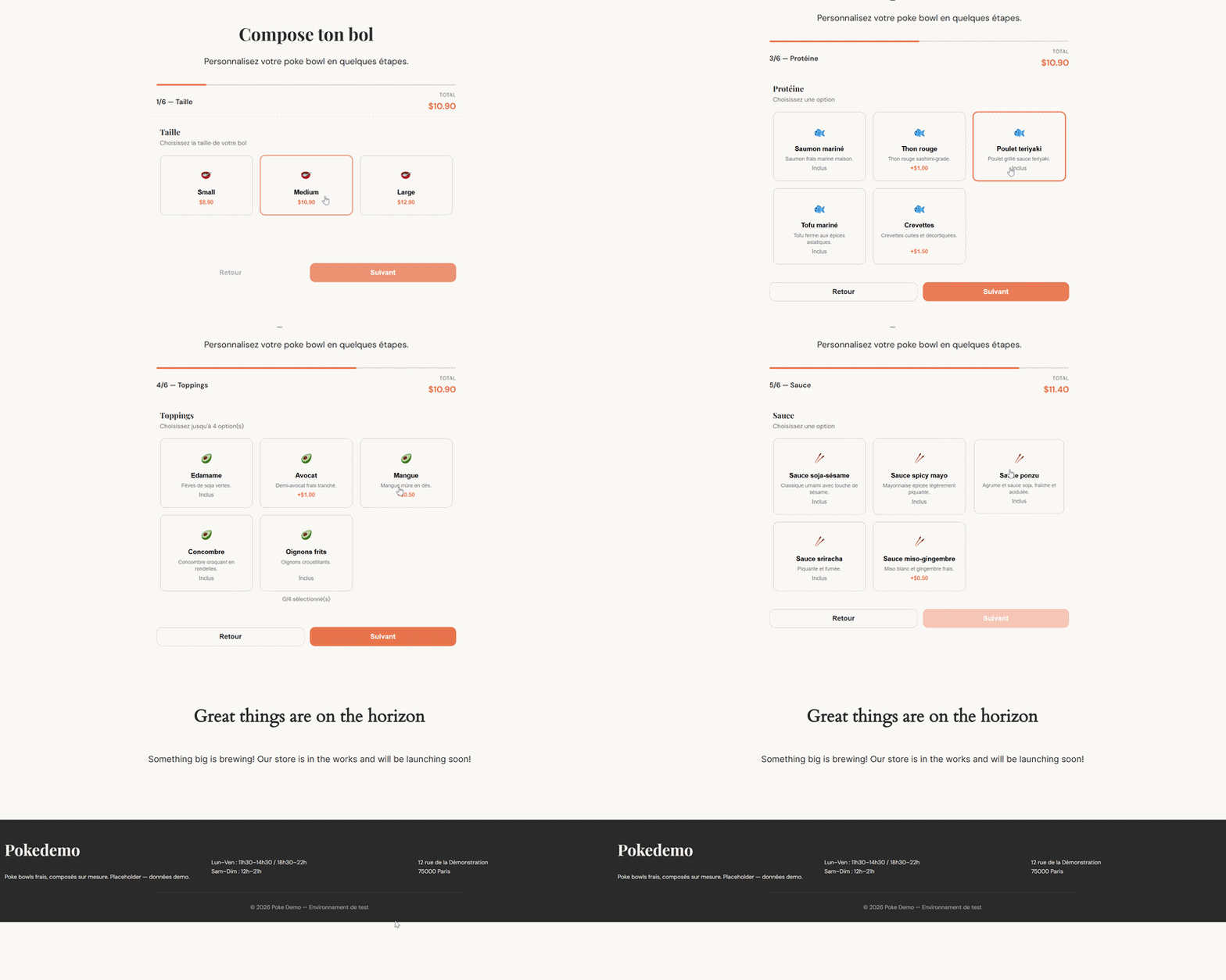
- Sequential wizard with slide-in menu, progress bar, and photos on cards when you attach them
- Optional accordion layout (Settings) — all sections on one page, product-page style
- Numeric steps (min / max / unit) and an optional base-price formula on the variant
- Base price plus supplements, with mandatory server-side revalidation
- WooCommerce integration via cart_item_data
- Gutenberg block
tlsc/wizard - Shortcode
[tlsc_wizard] - Demo seed isolated in
/seed-data
لقطات الشاشة
المكوّنات
تقدّم هذه الإضافة مكوّن واحد (1).
- Tlloancy Step Configurator Wizard Interactive step-by-step product configurator.
التنصيب
- Copy the
tlloancy-step-configurator-for-woocommercefolder towp-content/plugins/ - Activate the plugin
- WooCommerce must be installed and active
- Insert the Tlloancy Step Configurator Wizard block or shortcode on a page
الأسئلة المتكررّة
-
How do I customize the steps?
-
Use Tlloancy Configurator > Steps, Options and Configs in the WordPress admin.
-
How do I import a BOM / nomenclature?
-
BOM means Bill of Materials. Use Tlloancy Configurator > Import CSV / XML, or see
docs/USER-GUIDE.md(English),docs/MODE-DEMPLOI.md(French), andseed-data/examples/. -
Where is the documentation?
-
- English:
docs/USER-GUIDE.md - French:
docs/MODE-DEMPLOI.md
- English:
-
Can customers buy the configurable product from the product page?
-
No. The shell product is only sold through the wizard. Native Add to cart and express-pay buttons on that product are blocked.
-
How do photos work in the wizard?
-
Configurations with an image show a full-width photo on the card. Options with an image show a small rounded thumbnail. No image means a pictogram only. Next, Back and the steps menu scroll the page back to the top of the wizard.
-
Where does the customer see the configuration?
-
Cart, checkout, the thank-you page, My Account Orders, and the customer order emails. The merchant “New order” email stays short; the full breakdown is on the WooCommerce order screen.
-
Will updating break an existing configurator (e.g. a salad bar)?
-
No. Numeric steps, price formulas and the accordion layout are opt-in. Existing steps stay single/multiple, an empty formula keeps base price + supplements, and the layout defaults to step-by-step.
-
How do I price a product from width × height?
-
Add numeric steps whose slugs are the formula variables (e.g. largeur, hauteur). On the variant, set an optional base-price formula such as max({base}, {largeur} * {hauteur} / 10000 * 89). Leave the formula empty to keep classic pricing. See docs/USER-GUIDE.md.
-
What is the accordion layout?
-
Settings Wizard layout. Step by step is the original wizard (one screen, Next / Back). Accordion lists every section on one page — better for measured products on a product page. Only one section stays open; click the open heading to fold it. Switching layout does not change saved data.
-
Can the customer unselect a variant?
-
Yes. Click the selected configuration card again to clear it. Later steps hide until they pick another. Add to cart stays disabled until a variant is chosen. Rename the first step under Settings First-step label (e.g. Type de confection, Model).
المراجعات
لا توجد مراجعات لهذه الإضافة.
المساهمون والمطوّرون
“Tlloancy Step Configurator for WooCommerce” هو برنامج مفتوح المصدر. وقد ساهم هؤلاء الأشخاص بالأسفل في هذه الإضافة.
المساهمون
ترجمة ”Tlloancy Step Configurator for WooCommerce“ إلى لغتك.
مُهتم بالتطوير؟
تصفّح الشفرة، تحقق من مستودع SVN، أو الاشتراك في سجل التطوير بواسطة RSS.
سجل التغييرات
1.5.2
- Variant cards: click the selected configuration again to deselect it. Dependent steps leave the wizard until another variant is chosen.
- fr_FR catalogue for 1.5 wizard/admin strings (Personalize your product, Done, formulas, numeric fields) plus a compiled .mo so the front end is no longer mixed EN/FR.
- Docs (USER-GUIDE / MODE-DEMPLOI) cover deselecting a variant and the first-step label.
1.5.1
- Accordion: only one section open at a time; click the open heading (including the first variant step) to fold it. Choosing a variant no longer jumps to the next section by itself.
- Accordion Add to cart: full-width control on a quiet bar — no coral strip under a faded button.
- Settings: layout and palette cards deselect immediately when you pick another (no leftover highlight before Save).
- Demo seed and steel palette renamed Maison Thomas (
seed-data/maison-thomas.php). An existingmukapalette option still loads that steel theme. - Docs (USER-GUIDE / MODE-DEMPLOI) cover accordion folding, the cart button, and the Maison Thomas seed.
1.5.0
- Numeric step type (min / max / increment / unit / default). The step slug is the formula variable. Existing single/multiple steps are unchanged.
- Optional variant base-price formula ({slug} tokens, + − × ÷, min/max/round/ceil/floor). Empty formula = previous pricing (base + supplements + overage).
- Optional option effect: add a delta to a numeric step before the formula (e.g. a breaking hem adds 2 cm to height).
- Settings: wizard layout — Step by step (default) or Accordion. Missing option keeps the original wizard.
- Admin screens stacked full-width (form then list) so fields no longer overflow the list. Step type toggles choice limits vs numeric bounds.
- Sample import seed-data/examples/nomenclature-dimensions-sample.xml. Docs (USER-GUIDE / MODE-DEMPLOI) cover dimensions, formulas and layout.
- CSV/XML import/export: extra optional columns/attributes (backward compatible).
1.4.1
- Wizard: a configuration with an image uses a full-width photo band; an option with an image uses a 72×72 rounded thumbnail; no image still shows a pictogram (never an empty band)
- Next / Back / the steps menu scroll the page back to the top of the wizard; the page itself still scrolls with the mouse
- Admin: variant/option image previews use the same rounded rectangle crop as the wizard, not a circle
- Docs and FAQ updated for card photos and step-change scroll
1.4.0
- Steps admin: per-variant min/max/included/required is a table (tick a variant to override) instead of a JSON textarea — limit_rules is built from that POST array, not from typed JSON
- Fixed: ticking a variant did not enable the Min/Max/Included/Required inputs (the row stayed greyed out)
- Max on a step shows how many options currently exist for that step
- tlsc_configs.image_url (dbDelta); image picker on Variants (media enqueued on configurator admin screens); URL stored on the cart config payload; wizard formula cards, cart / order / admin thumbnails and customer-email images use it; XML import/export adds an image attribute (CSV schema unchanged)
- Native add-to-cart validation, Store API add-to-cart/cart-item, and cart check reject or remove the shell product without tlsc_selections; product-page add-to-cart (classic + blocks CSS) and the loop add-to-cart link are hidden; Stripe / PayPal / WooPayments product express buttons are disabled
- Order-item recap (formula + steps) on the thank-you page, My Account and customer emails; merchant “New order” emails skip it
- Plugin Check: recap thumbnail output goes through wp_kses; Store API exception messages are escaped
- Fixed: with overage_price set, the wizard hint used max (e.g. 2/13) instead of included (2/2); option cards kept saying Included after the included quota was full
- Last wizard step shows “Adding…” while the cart request runs
- Gutenberg block editor strings go through wp.i18n (wp_set_script_translations); admin Error / Network error alerts are translated
- Docs (USER-GUIDE / MODE-DEMPLOI) and readme FAQ updated for wizard-only purchase, customer recap, and the included-quota counter
- fr_FR .po/.mo and .pot updated for the new strings
1.3.0
- Steps can now define an “included” selection count (per variant, in limit_rules) plus a flat overage_price — selections beyond the included count are charged instead of being blocked outright, up to the (now separately raised) max
- Wizard: live price and selection hint reflect the overage as soon as the client crosses the included threshold, not just at checkout
- Fixed: the front-end wizard didn’t split a multi-value unlock_flow (added in 1.2.7) on comma, so a combo option unlocking two flows at once showed neither of them client-side despite the server accepting it
- Maison Thomas seed: Ingrédients bruts/nobles now allow selecting beyond the included amount (2 for Petite, 3 for Grande) at +1,50€ each
1.2.7
- Option unlock_flow now accepts several comma-separated flows (e.g. dessert,boisson), so one option (e.g. a combo) can unlock more than one extra sub-flow at once
- Fixed: CSV/XML import used to sanitize unlock_flow as a single slug directly at insert time, silently mangling multi-value input — now shares the same sanitizer as the admin form
1.2.6
- Order admin screen: configurator selections now shown as a formatted breakdown (grouped by step) instead of raw JSON meta
- CSV / XML nomenclature export (Import / Export screen), mirroring the existing import format — usable as a backup or as a template for another install
1.2.5
- Wizard palette setting: Default (coral), Salade (herb green), Maison Thomas (concrete & steel)
- Presets inject CSS variables on the wizard only; factory coral remains the default
1.2.4
- Same screen: group steps that share a same_screen code on one wizard screen
- Optional steps: clearer hints + Next becomes Skip when nothing is selected
- Safer required casting from DB (string “0” no longer treated as true)
- Optional single-select: re-click to deselect
- Updated fr_FR translations; wizard CSS cache-bust via filemtime
1.2.3
- Plugin Check: drop load_plugin_textdomain, WP 6.0-safe list check, prefixed view variables
- Import notices via user transient (no unsanitized error query args)
1.2.2
- Extensibility hooks for addons: tlsc_cart_item_data, tlsc_pre_add_to_cart, tlsc_add_to_cart_request
- JS events tlsc:beforeAddToCart and tlsc:stepShown
1.2.1
- Configurable first-step label (Settings Formula / Pack / Configuration…)
- Dynamic step hints from effective min/max/required (including limit_rules)
1.2.0
- Data-driven flows: config.flow, step.applies_to (comma-separated), option.unlock_flow
- Per-config limit_rules JSON on steps
- CSV / XML nomenclature import (admin + TLSC_Importer + tlsc_import_payload filter)
- Generic demo seed (no client branding)
- English UI source strings + languages/*.pot and fr_FR translation
- Bilingual docs: USER-GUIDE.md (EN) + MODE-DEMPLOI.md (FR)
- Sample industrial-style CSV/XML under seed-data/examples/
1.1.0
- Step scope applies_to
- Wizard + pricing filter applicable steps
- TLSC_Activator::reseed()
1.0.0
- Initial release