

الوصف
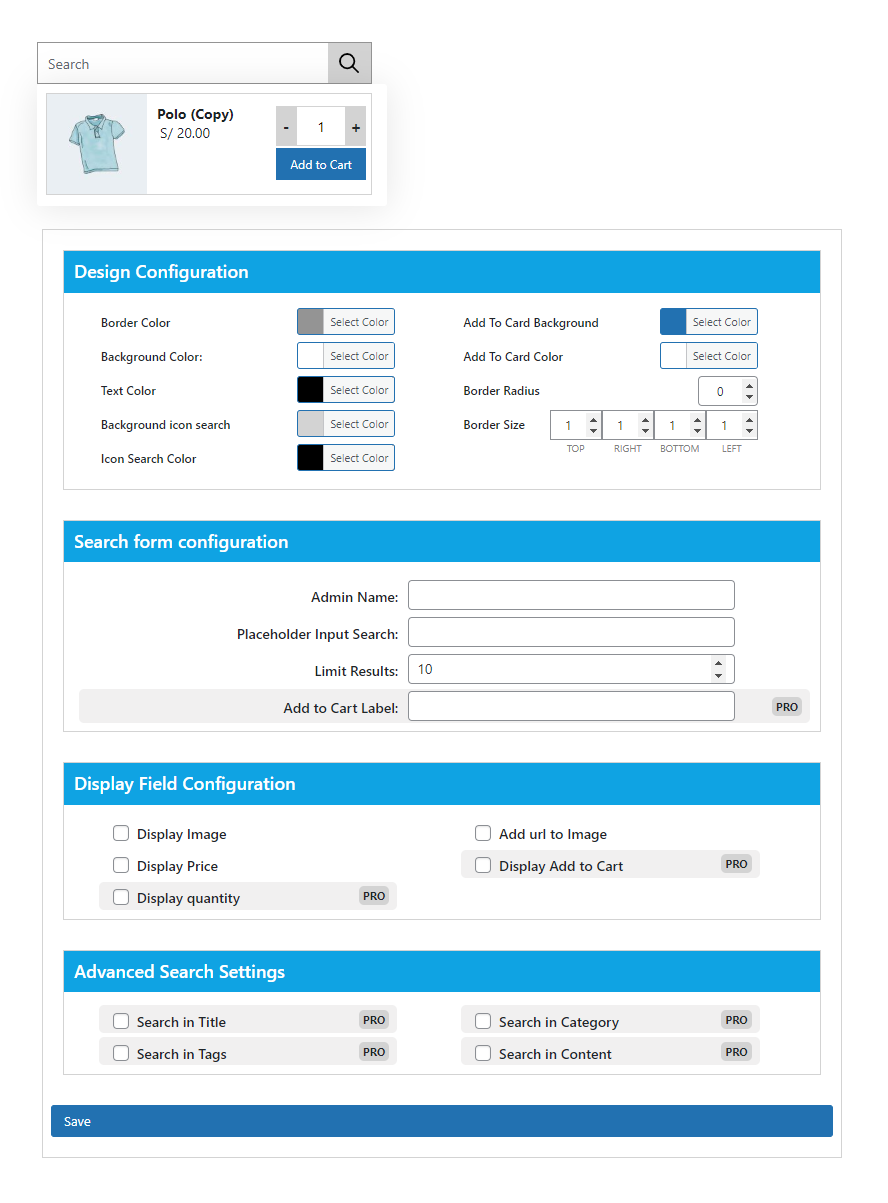
JC Ajax Search for WooCommerce allows you to create search forms with different settings to search for products without refreshing the page
لقطات الشاشة

التنصيب
Minimum Requirements
- PHP 7.2 or greater is recommended
- MySQL 5.6 or greater is recommended
- Upload
jc-ajax-search-for-woocommercefolder to the/wp-content/plugins/directory - Activate the plugin through the ‘Plugins’ menu in WordPress
- Create the form with the desired settings
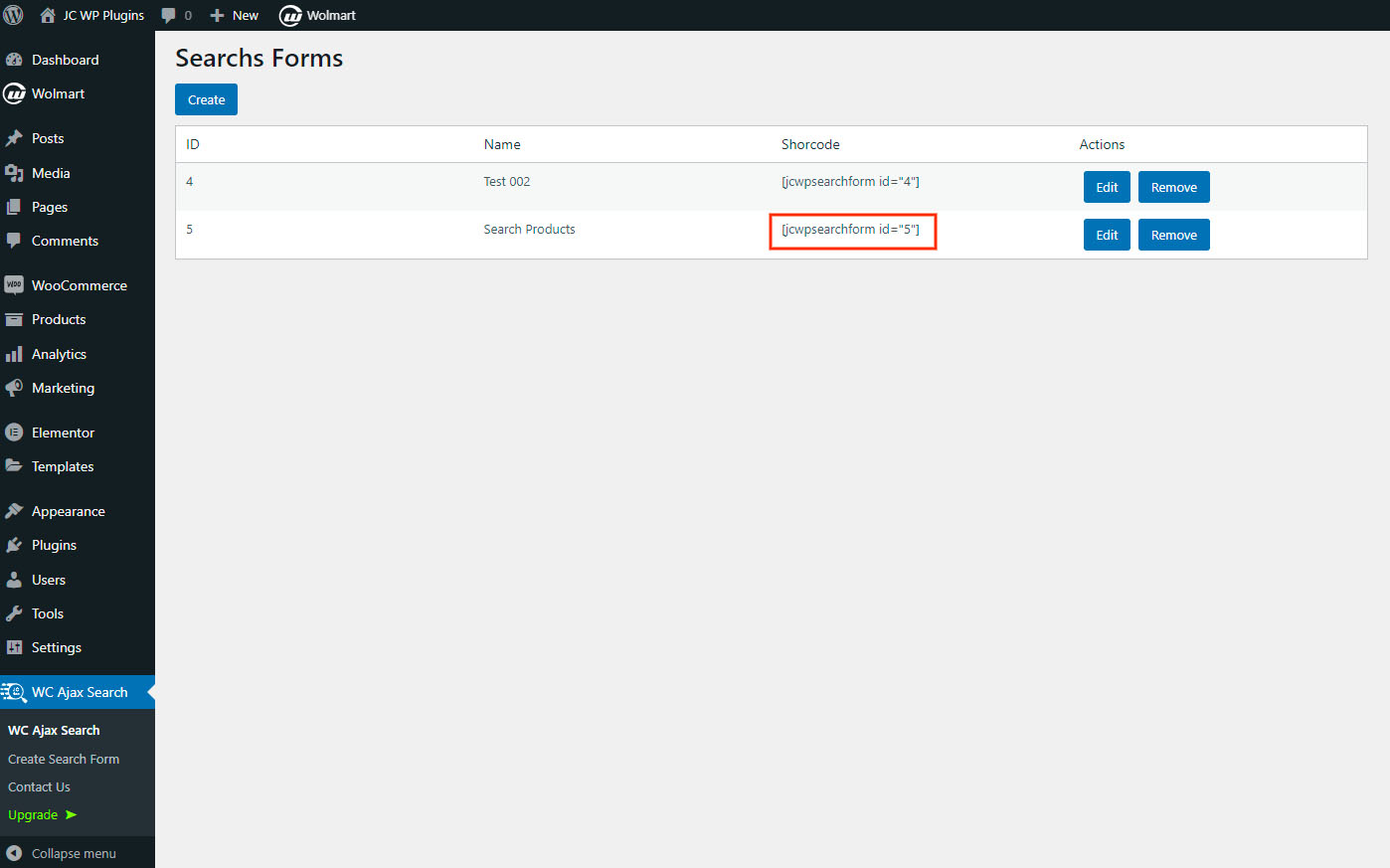
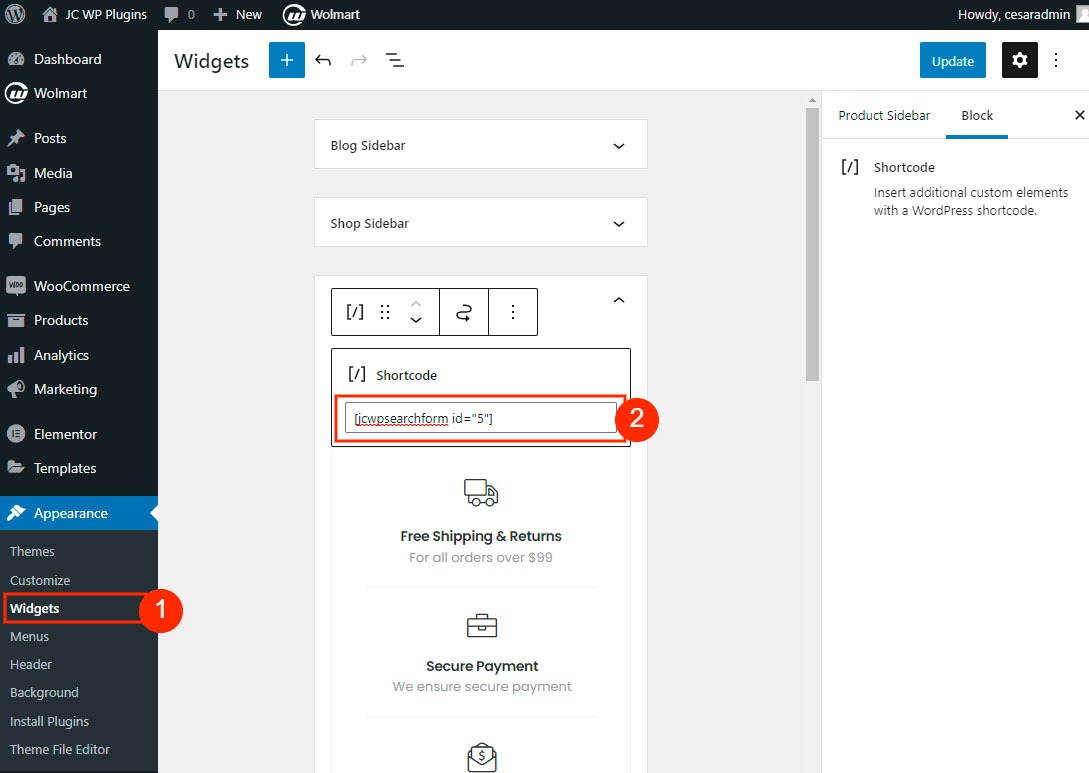
Copy the generated shortcode and add it where you want the search form to display
To add the shortcode in any template use
الأسئلة المتكررّة
-
How do I begin working with this plugin?
-
First you need to create the form in the plugin admin area, the process is easy and intuitive.
المراجعات
لا توجد مراجعات لهذه الإضافة.
المساهمون والمطوّرون
“JC Ajax Search for WooCommerce” هو برنامج مفتوح المصدر. وقد ساهم هؤلاء الأشخاص بالأسفل في هذه الإضافة.
المساهمون
ترجمة ”JC Ajax Search for WooCommerce“ إلى لغتك.
مُهتم بالتطوير؟
تصفّح الشفرة، تحقق من مستودع SVN، أو الاشتراك في سجل التطوير بواسطة RSS.
سجل التغييرات
1.0.3
- Remove freemius SDK
1.0.2
- Add configuration options for layout colors
1.0.1
- Styles are added in configuration form
1.0.0
- Initial Plugin release